
MyProp app streamlines contractor operations by providing a dedicated portal for managing maintenance jobs, submitting invoices, and tracking payments with your agency.
Accessing MyProp as a Contractor
Contractors access MyProp through:
- Your agency's branded portal: myprop.app/[yourshortname], or
- The universal portal: myprop.app (then select your agency)
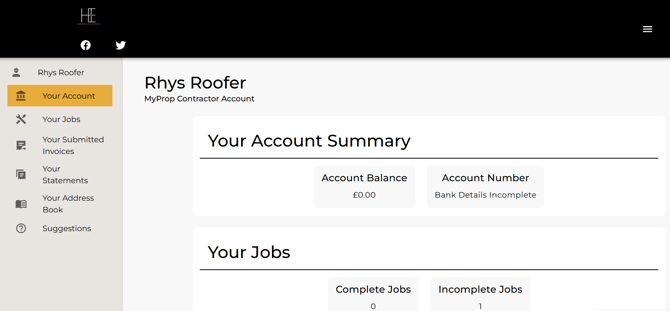
Contractors can create an account by visiting either URL and clicking "Create Account", using the email address you have on file for them in agentOS. Once signed in, they see their contractor dashboard with the following sections:
- Your Account
- Your Jobs
- Your Submitted Invoices
- Your Statements
- Your Address Book
- Suggestions
Your Jobs
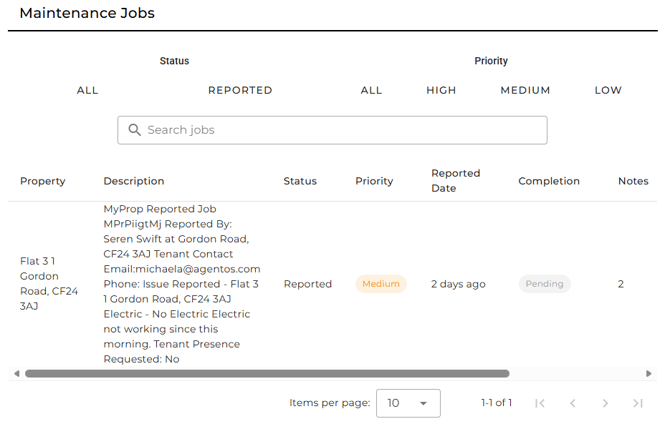
The jobs section shows all maintenance work assigned to the contractor:
Job Information Displayed:
For each job, contractors can see:
- Property address
- Job description (e.g., "MyProp Reported Job", "Electric - No Electric Electric not working since this morning")
- Reported by (tenant name and contact details)
- Status (e.g., "Reported", "Pending")
- Priority level (e.g., "Medium")
- Reported date
- Completion status
- Job notes and communication history
Job Actions:
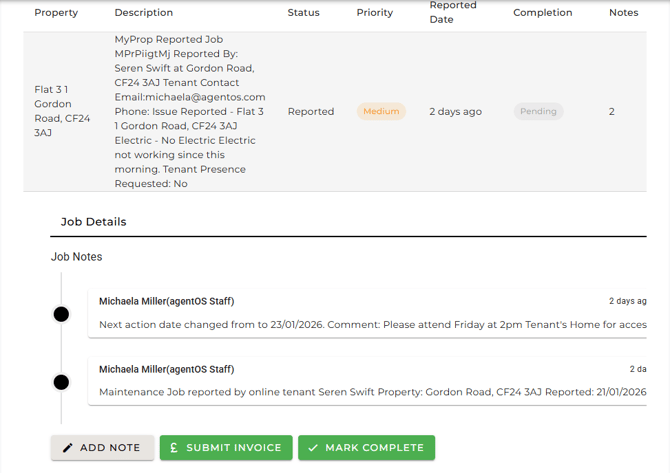
For each job, contractors have three action buttons:
ADD NOTE
- Add notes about the job
- Record work performed
- Document parts used or issues encountered
- Communicate progress or requirements
SUBMIT INVOICE
- Upload invoice as PDF file (PDF format only)
- Link invoice directly to the specific job
- Submitted invoices appear in "Your Submitted Invoices" section
MARK COMPLETE
- Mark the job as completed
- Notify your agency that work is finished
- Add completion notes if needed
Job Notes Timeline
Each job displays a timeline of notes and updates showing:
- Staff comments and updates
- Next action dates
- Job reporting details
- Communication history
This eliminates the need for contractors to search through emails for job details or contact your office for updates on their workload.
Your Submitted Invoices
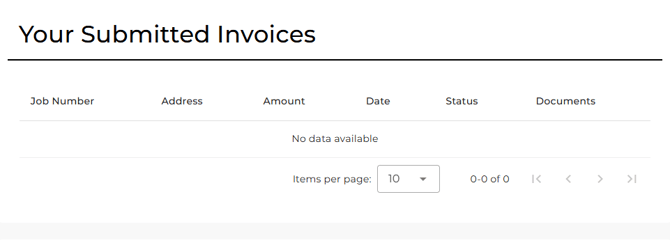
This section displays all invoices the contractor has submitted through MyProp:
Invoice Information:
- Job number
- Property address
- Invoice amount
- Submission date
- Current status
- Associated documents
Contractors can track which invoices have been submitted and review their submission history. When no invoices have been submitted yet, this section displays "No data available".
Your Statements
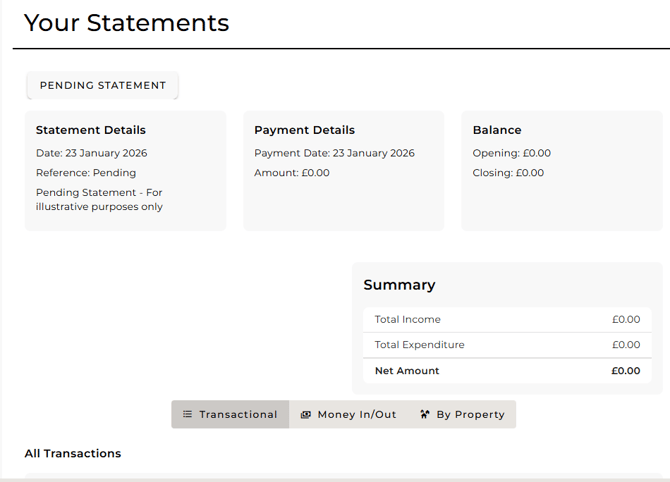
The statements section provides contractors with visibility of their financial relationship with your agency:
Statement Features:
Contractors can:
- View their account balance with your agency
- Download statements for specific time periods (e.g., last month)
- Filter statements by property
- Access transaction history
- Review payments received
Statement Details Include:
- Statement date
- Payment dates and amounts
- Opening and closing balances
- Total income and expenditure
- Net amount
This transparency helps contractors manage their cash flow by understanding their financial position with your agency, reducing "when will I be paid?" queries.
Your Address Book
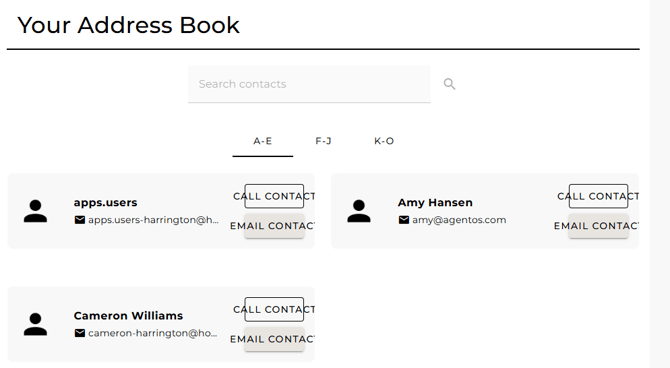
The address book provides contractors with direct access to your agency's contact information:
Contact Information Available:
- Agency staff names
- Email addresses
- Phone numbers (where provided)
Contact Actions:
For each contact, contractors have two options:
CALL CONTACT
- Initiate a phone call (on mobile devices)
- Quick access to contact by phone
EMAIL CONTACT
- Send an email directly from MyProp
- Pre-populated email address
This centralised contact information means contractors can quickly reach the right person when they need support, clarification, or need to report urgent issues.
Benefits for Your Agency
MyProp's contractor portal significantly reduces administrative burden:
Eliminates Email Communication Overhead
- No more "I've finished the job" emails
- No more invoice submission emails with attachments
- No more "what jobs do I have?" phone calls
- Structured communication through job notes
Streamlines Invoice Processing
- Invoices automatically link to correct jobs
- PDF format ensures consistency
- Clear submission tracking
- Immediate visibility when invoices are submitted
Improves Job Tracking
- Real-time completion notifications via MARK COMPLETE
- Detailed notes captured in job timeline
- Complete history of contractor work
- Clear status tracking for all jobs
Reduces Payment Queries
- Contractors can download their own statements
- Transparent account balance information
- Self-service access to financial records
- Clear payment history
Setting Up Contractors in MyProp
To enable contractors to access MyProp:
- Ensure contractor records in agentOS have valid email addresses
- Inform contractors they can create an account at myprop.app/[yourshortname] or myprop.app
- Contractors click "Create Account" and use the email address you have on file for them
- Once logged in, they can immediately view assigned jobs and begin using the portal
Need Help?
For assistance with contractor portal access or questions about available features, contact support@agentos.com.
Video demonstration: