
MyProp app delivers intelligent property matching with sophisticated offer management, helping buyers find their perfect home whilst providing your agency with valuable feedback and engagement data.
Accessing MyProp as a Buyer
Buyers access MyProp through:
- Your agency's branded portal: myprop.app/[yourshortname], or
- The universal portal: myprop.app (then select your agency)
Buyers create an account by clicking "Create Account", using the email address you have on file for them in agentOS. Once signed in, they see their personalised dashboard.
Looking To Buy Dashboard
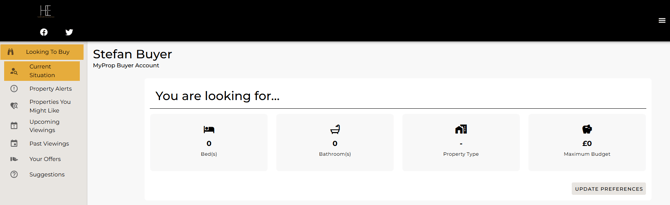
The "You are looking for..." section displays the buyer's active search criteria:
- Number of beds
- Number of bathrooms
- Property type
- Maximum budget
Buyers can click "UPDATE PREFERENCES" to refine their search and receive more relevant property matches.
Property Alerts
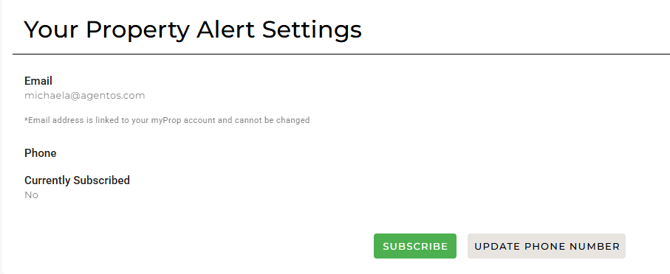
Buyers can manage their property alert settings:
- Email alerts - linked to their MyProp account (cannot be changed through alert settings)
- SMS alerts - buyers can subscribe and update their phone number
Based on their preferences, buyers receive automatic notifications for new properties, price reductions, and status changes.
My Current Situation
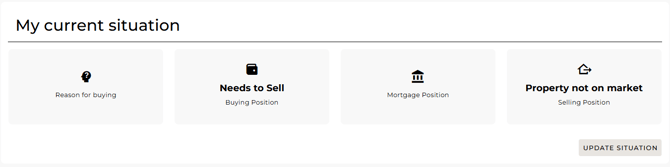
The portal displays the buyer's current status across four sections:
- Reason for buying
- Needs to Sell (Buying Position)
- Mortgage Position
- Property not on market (Selling Position)
Buyers can click "UPDATE SITUATION" to keep the agency informed of changes to their circumstances.
Property Search and Browsing
Buyers browse available properties matching their criteria, viewing property images, asking price, bedrooms, bathrooms, property type, and location. Click any property to view the full description, photo gallery, floorplans (if available), EPC information, and location details.
Viewing Management
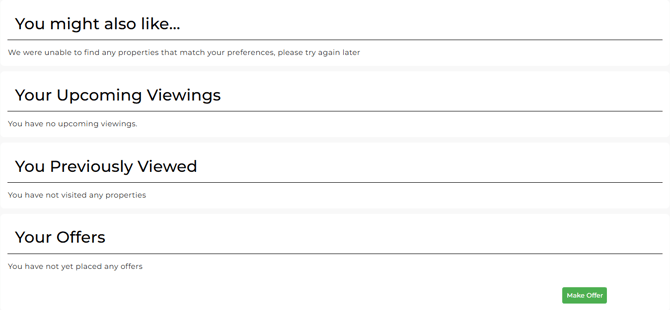
Upcoming Viewings See scheduled viewings with property details, date and time, and agent contact details.
Past Viewings View historical record of completed viewings including properties viewed, viewing dates, feedback submitted, and current status.
Request Viewings Buyers can request viewings directly through the portal. Your team receives the request and can confirm or suggest alternative times.
Your Offers
The "Your Offers" section tracks all offer activity. Buyers can click "Make Offer" to submit offers on properties they've viewed. After submission, buyers can track offer status, vendor responses, counter-offers, and timeline of offer progression.
Benefits for Your Agency
- Reduced Administrative Workload - buyers request viewings through the portal, offer submissions automated, feedback collected systematically
- Enhanced Buyer Engagement - regular property alerts, self-service viewing requests, easy offer submission
- Valuable Data Collection - viewing feedback captured systematically, buyer preferences documented, offer history maintained
Need Help?
For assistance with buyer portal access or questions about available features, contact support@agentos.com.