
Service Types: Set a Country
As part of the upcoming changes in England for the Renters Rights Act 2025 that come into effect on May 1st 2026, we've added a new option to Service Types on agentOS to allow you to set the Country where that service type applies.
We need ALL CLIENTS to make these changes as soon as possible, not just those looking after tenancies in England, to ensure that further England-specific changes that are upcoming on agentOS are not made to tenancies that are in Wales, Scotland, or Northern Ireland.
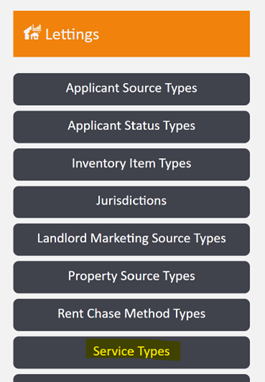
To set a Country on your service types, go to Object Types and the option for Service Types under the Lettings column:
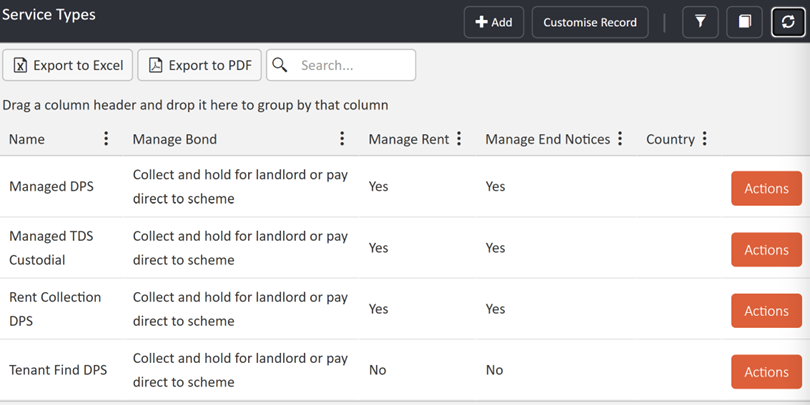
This will give you a list of your existing Service Types, along with a new Country column, which is yet to be populated:
Click into the service type that you'd like to change and click to Edit on the top right-hand side. In the pop-up you'll see a new option to select Country, which you can pick from the drop-down:
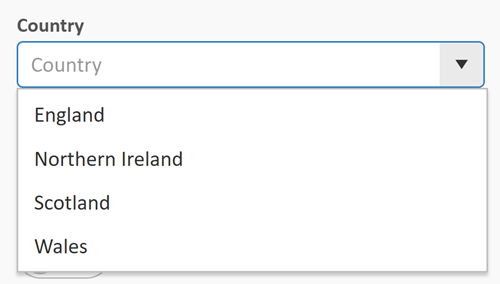
Please Note: Only one country can be selected per service type. For more details on adding additional service types, please see the section later in this guide under Clone Service Type.
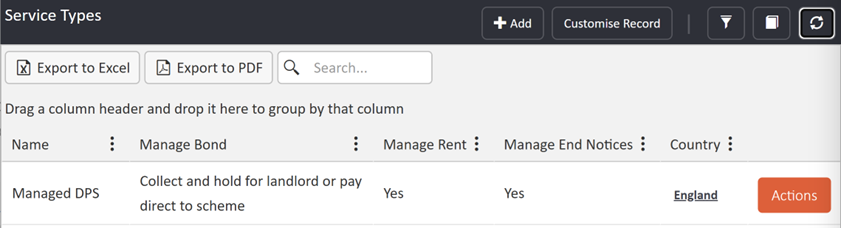
Click to Save and then go back to the Service Types menu, and you should see that Country now populated in the new column in the grid:
To support you updating your service types in time for the Renters Rights Act changes coming into effect, all users at the Owner access level will see a reminder on their dashboard each time they login to the system if any service types are yet to have a Country set on them:
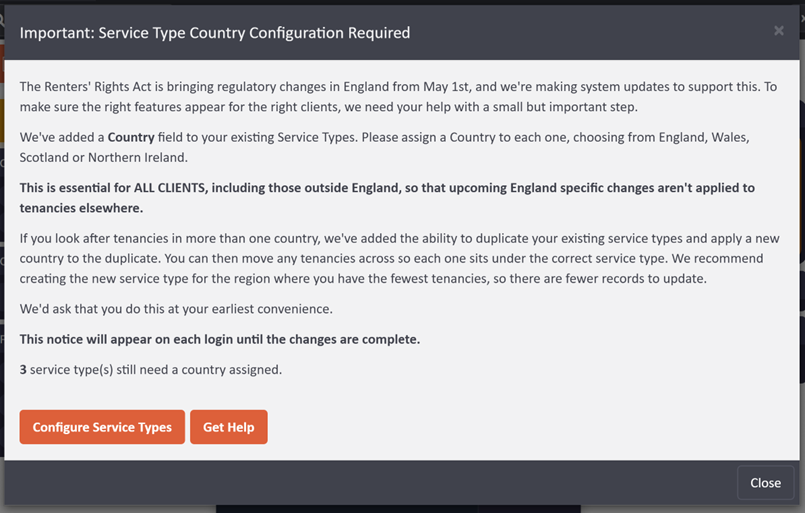
This message will appear until all active service types are updated with the Country details. If you have any service types that are no longer in use, you can also Archive these using the option under Actions. This will remove them from the total number of service types still showing that need to have a country assigned.
Please Note: It is important to check that service types are no longer in use prior to archiving them. You can do this by running the report under Lettings > All Active Tenancies Detailed and working through to change the service types on the listed tenancies prior to archiving that type.
What if I have properties in England and Scotland/Wales/Northern Ireland
Service Types: Clone Service Type
To support agents who look after tenancies in more than one country, we have added the ability to Clone Service Type in the Actions menu of your existing service types. This will allow you to make a copy of an existing service type and set that copy to one of the other countries, so that you can then make changes to your tenancy records to show that they are using the correct service type.
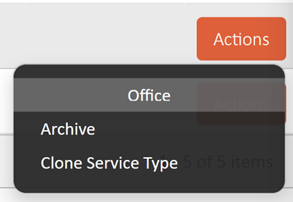
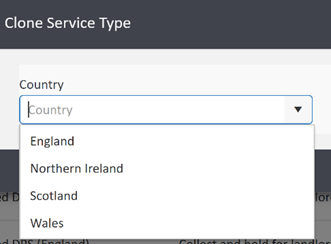
When you click Clone Service Type, it will give you a pop-up allowing you to select the country to use on the new cloned version of the service type:
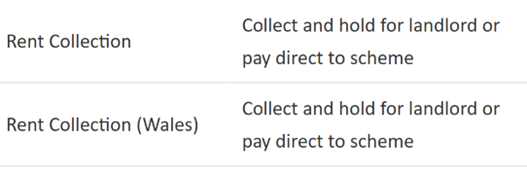
Once cloned, the system will automatically add the name of the country in brackets to the new cloned service type to make it easier to tell those types apart:
Once cloned, the system will automatically add the name of the country in brackets to the new cloned service type to make it easier to tell those types apart:
Please Note: We recommend creating the new cloned service type for the country where you hold the fewest tenancies, so there are then fewer records that you’ll need to update to use the new service type. You can then set the country details on the original service type to the one where you hold the most tenancies, if you’ve not done this already.