
The Active Landlords List is a report available within agentOS that displays all landlords who have at least one property with an instruction or tenancy at one of the following stages: advertised, let agreed, signed, or ended.
Important: A landlord will remain on this list until all of their associated tenancies have been set to "Closed". If you need to remove a landlord from the report, you must close all of their old tenancies first.
How to access the report:
- Go to the Lettings section in agentOS
- Scroll down to the Reports section
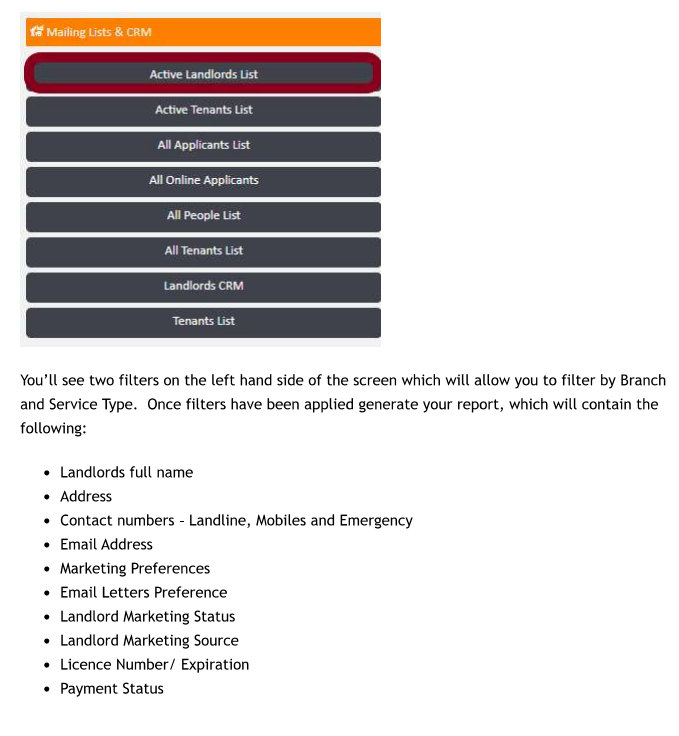
- Under Mailing Lists & CRM, click Active Landlords List
Filtering the report:
On the left-hand side of the screen, you will see two filters:
- Branch — filter results by a specific branch
- Service Type — filter by the type of lettings service
Apply your chosen filters, then generate the report.
What the report includes:
Each record in the report contains the following information about the landlord:
- Full name
- Address
- Contact numbers (landline, mobile, and emergency)
- Email address
- Marketing preferences
- Email letters preference
- Landlord marketing status
- Landlord marketing source
- Licence number and expiration date
- Payment status
Exporting the report:
The report can be exported to Excel, making it suitable for mail merges and other bulk communications with your landlords.
If you need any assistance, please contact support@agentos.com.