
The Rent Chase list in agentOS includes a Status column that allows you to apply descriptive tags to individual tenants. These tags help you record special circumstances — such as a tenant being on a payment plan, a complaint being open, or a court case being active — so that anyone viewing the list has important context at a glance.
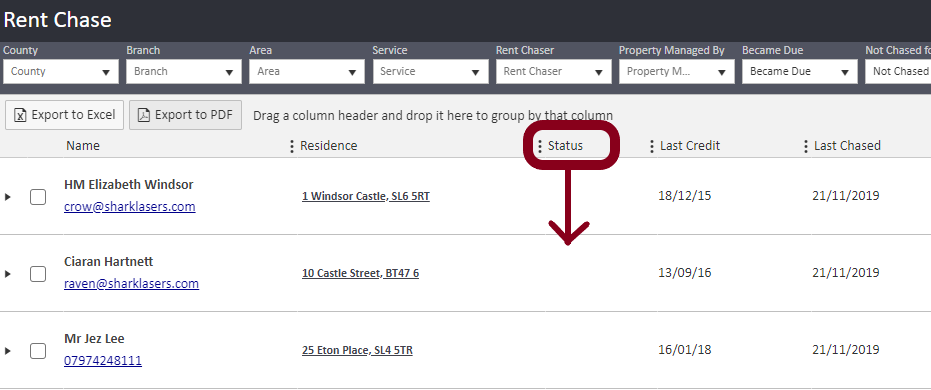
Applying an Account Status to a tenant:
- Go to the tenant's profile — search for the tenant by name in the search bar and open their record.
- Click Edit in the top right corner.
- Select the Rent Chasing tab.
- Use the Account Status dropdown to select the appropriate tag.
- You can also set or update the Delay Chasing Until date and Delay Chasing Reason from this same tab.
- Save your changes.
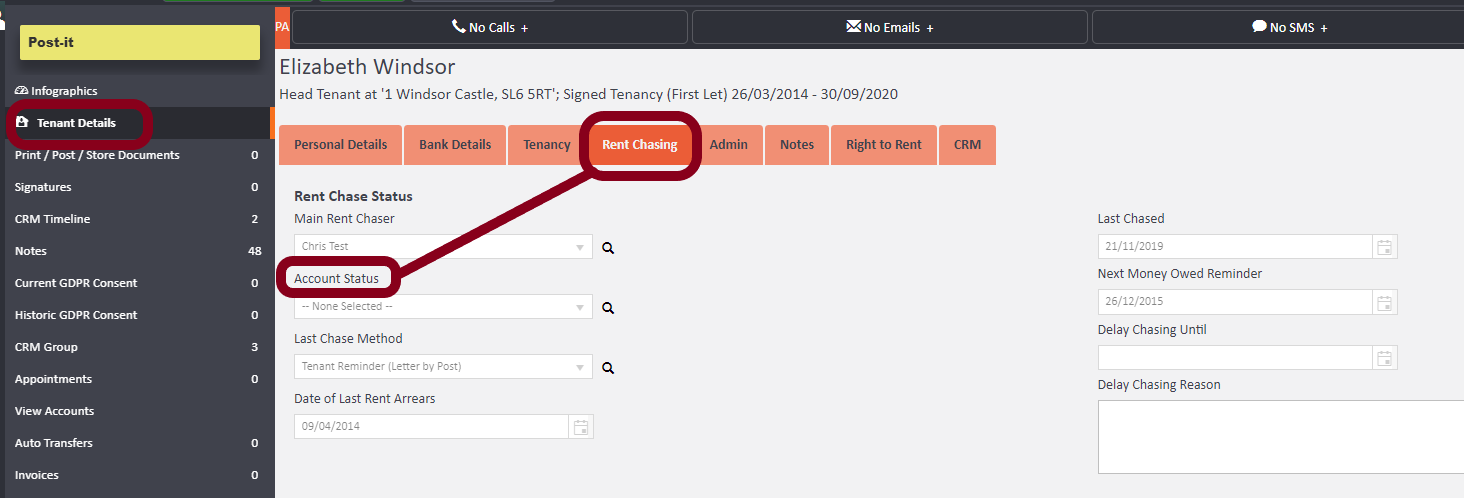
Creating custom Account Status types:
agentOS allows you to create your own status tags to suit your organisation's needs. To add a new type:
- Click the person icon in the top right corner of any agentOS page.
- Select Object Types.
- Locate the tile labelled Tenant Account Status Types.
- Enter a name for your new status in the Name field.
- Click Add to save it.
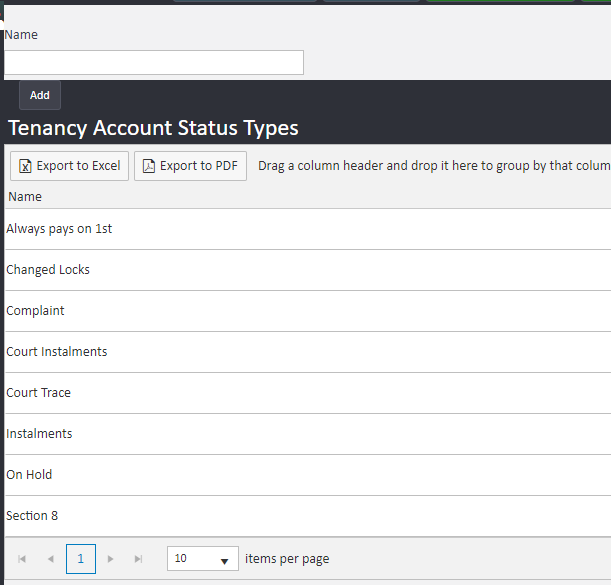
The new status will then appear as an option in the Account Status dropdown on tenant profiles.
Example status types already available in agentOS include: Always Pays on 1st, Changed Locks, Complaint, Court Instalments, Court Trace, Instalments, On Hold, and Section 8. You can add to or adapt this list to reflect your own processes.
For further assistance, contact support@agentos.com.