
If you are using an external company to carry out referencing or credit checks, or if you have any other documents relating to a tenant (such as ID), you should store these documents against the tenant's record in agentOS.
Step 1: Find the tenant
Use the search bar at the top of the screen to search for the tenant by name or property address.
Step 2: Open Saved Documents
Once you are on the tenant's profile, locate the Print / Post / Store Documents section in the left-hand navigation ladder and click on Stored Documents.
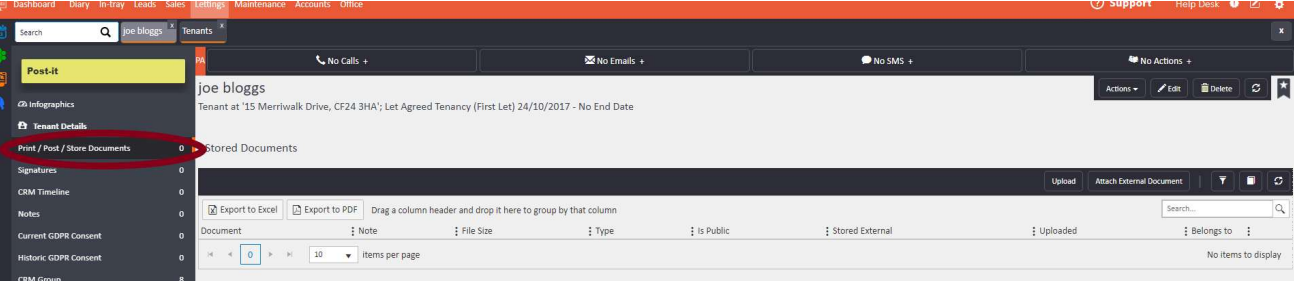
Step 3: Upload the document
Click the Upload button in the top right-hand corner of the Stored Documents panel to upload your file.
Note: Only users with the appropriate permissions will be able to upload documents to tenant records. If you are unable to see the Upload button, contact your system administrator or reach out to the agentOS support team at support@agentos.com.