
Accessing the Request Portal
To access the Request portal, click the software request icon in the top right-hand corner of agentOS, located in the header bar next to the Help Desk options.
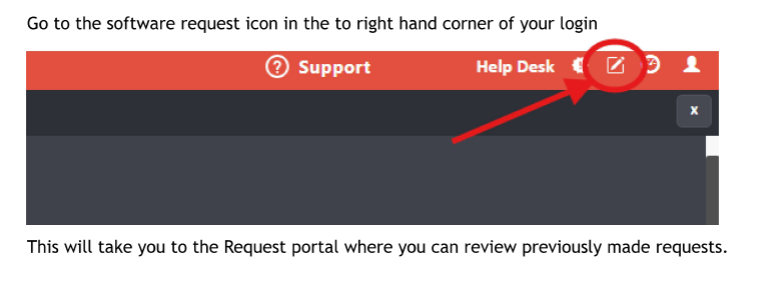
Clicking this icon will take you to the Request portal, where you can browse previously submitted requests, vote on existing suggestions, and submit your own.
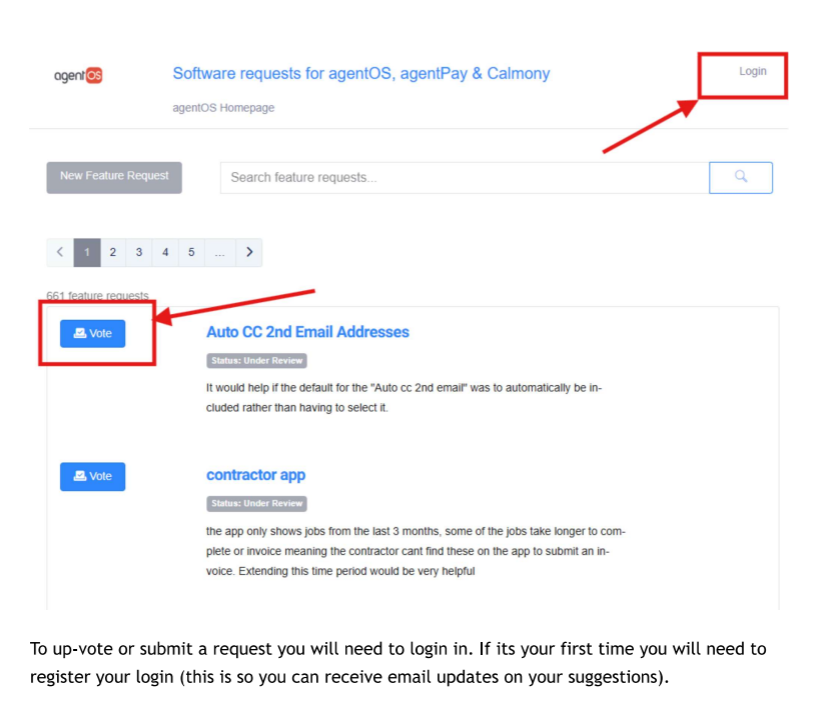
Submitting or Voting on a Request
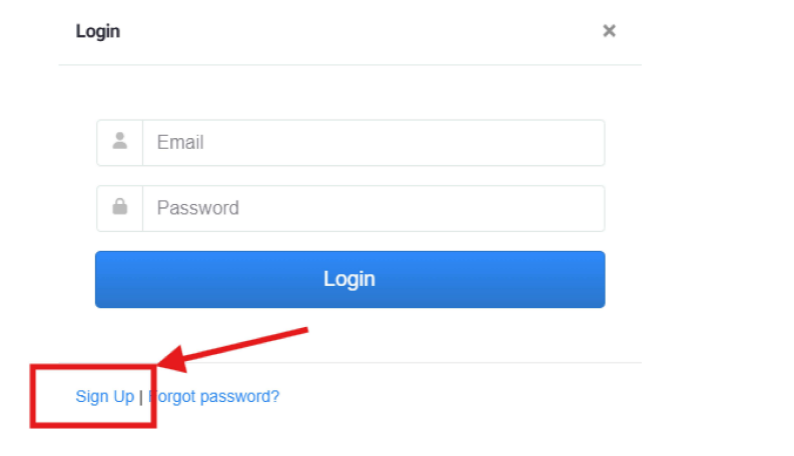
To submit a new request or vote on an existing one, you will need to be logged in to the portal. If it is your first time using the portal, you will need to register an account — this allows you to receive email updates on any suggestions you submit or vote for.
Click Login in the top right-hand corner of the portal, then either enter your existing credentials or click Sign Up to register.
- Click New Feature Request to submit a suggestion of your own
- Click Vote on any existing request to show your support for it
Important Notes
- The Request portal is separate from agentOS — your agentOS login credentials will not work here. You must register separately.
- agentOS is unable to reset passwords for the Request portal. If you experience difficulties accessing the portal, contact support@agentos.com.