
Property blocks are used to link a number of individual rooms or properties together under one overarching record. This is especially useful when managing HMO (House in Multiple Occupation) properties, where you may need to log certificates or maintenance jobs for communal areas that apply to the whole building, rather than a single unit.
Step 1: Navigate to Lettings
From the main navigation bar at the top of the screen, click Lettings.

Step 2: Select "Property Blocks"
From the Lettings icon grid, click the Property Blocks icon.
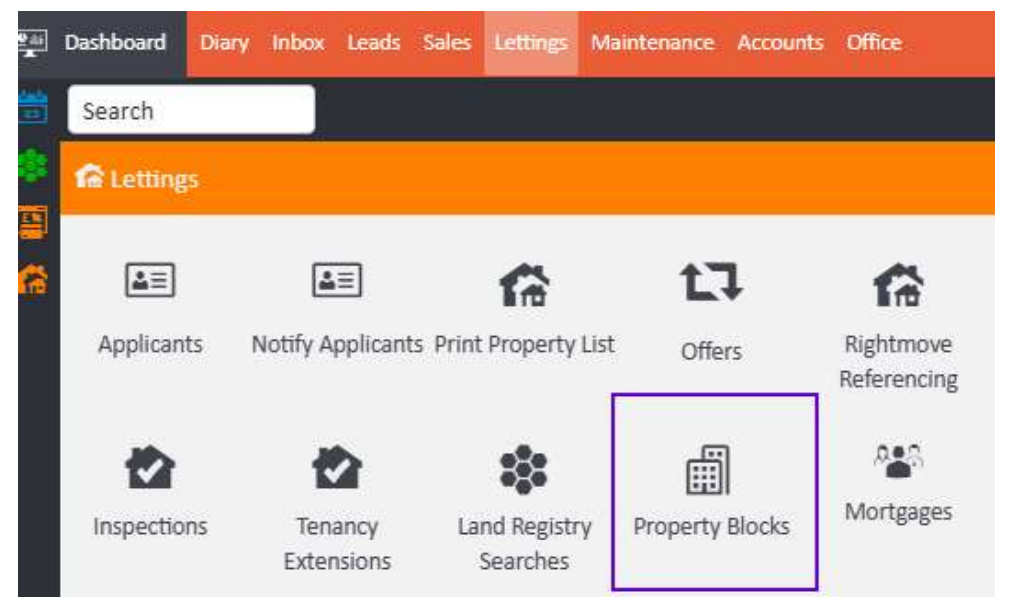
Step 3: Create a new block
The Property Blocks list screen will open. Click the + Add button in the top right corner to create a new block.

Enter the details for the overall block in the same way you would add a standard property record to agentOS. Once the block has been saved, you can open the record to add certificates and maintenance jobs that relate to the block as a whole — for example, communal areas — rather than to any individual property within it.
Step 4: Link existing properties to the block
To add an existing property to the block, navigate to that property record, click Edit, and locate the Property Block field within the Property Details tab. Type the name of your block into this field and select it from the results.
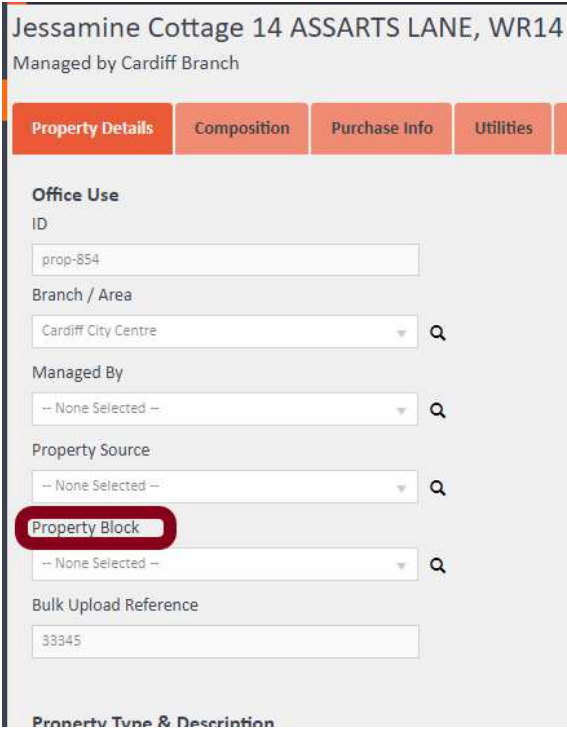
Once saved, the property will be connected to the block. When you return to the block record, the linked property will appear under the Linked Properties section in the left-hand navigation.
What you can manage from a block record
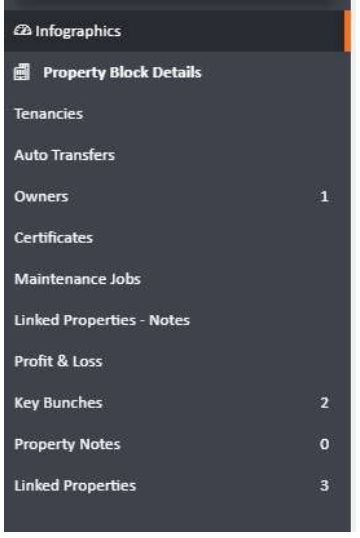
Once a block is set up and properties are linked to it, the block record's navigation gives you access to the following sections:
- Property Block Details — core details for the block itself
- Tenancies — tenancy records associated with the block
- Auto Transfers — automated financial transfer settings
- Owners — landlord/owner records linked to the block
- Certificates — compliance certificates for communal or block-wide areas
- Maintenance Jobs — maintenance records relating to communal areas
- Linked Properties – Notes — notes relating to linked properties
- Profit & Loss — financial reporting at block level
- Key Bunches — key records associated with the block
- Property Notes — general notes for the block
- Linked Properties — a list of all individual properties connected to this block
If you need further assistance, contact the agentOS support team at support@agentos.com.