
An Auto Transfer is used to preset a regular transfer of money between people for payments that fall outside the standard rent process. A common example would be a recurring payment from a tenant to a landlord for a parking space.
To set up an Auto Transfer:
- Go to the person profile for the person the money will be coming from.
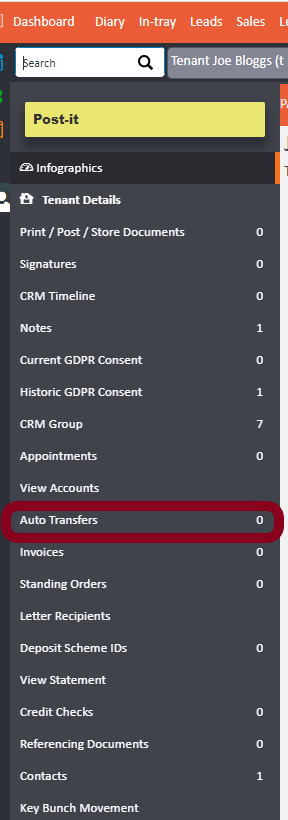
- In the left-hand menu, click Auto Transfers.
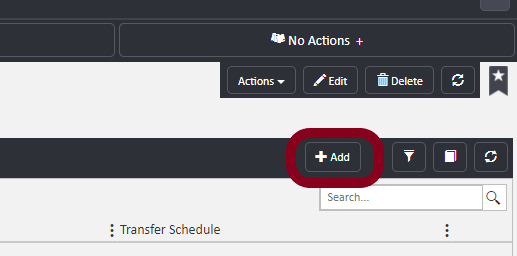
- Click +Add in the top right.
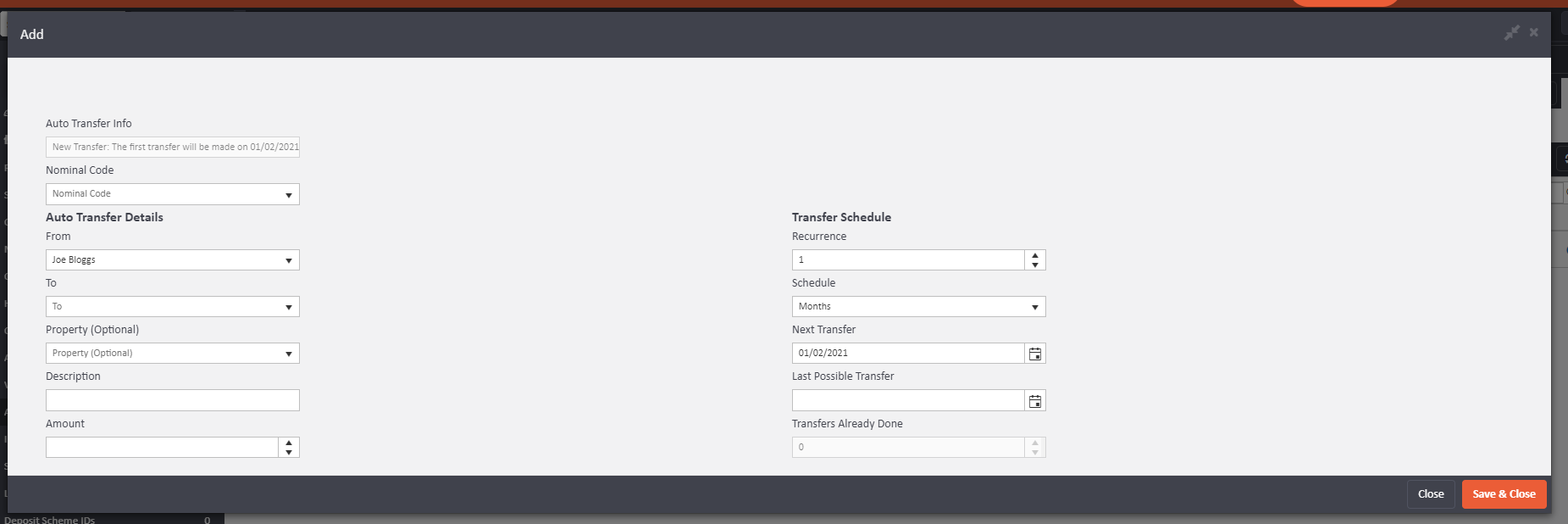
- Fill in the following fields:
- From — this is pre-populated as the person whose profile you are on (the person the money is coming out of).
- To — start typing the recipient's name and select them from the list.
- Property (Optional) — select a property from the drop-down if relevant.
- Description — this will appear on the accounts of both the sender and recipient.
- Amount — enter the transfer amount.
- Recurrence — set how frequently the transfer should occur (for example, enter 1 and select "Months" for a monthly transfer).
- Next Transfer — set a future date for the first transfer to take place.
- Last Possible Transfer — set the date you want the transfers to stop. This can be left blank if no end date is required.
5. Click Save & Close.
If you need help setting up an Auto Transfer, contact support@agentos.com.