
Overview
agentOS integrates with WhatsApp, allowing you to send messages to landlords, tenants, contractors, and other contacts directly from within the system. Before you can use this feature, the contact must have a mobile number saved on their agentOS profile.
Step 1 — Ensure a Mobile Number is on the Contact's Profile
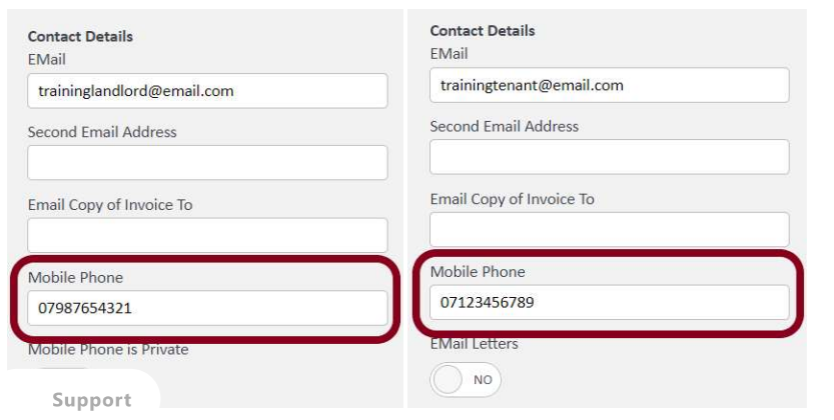
To contact a person via WhatsApp, you first need to ensure you have the correct mobile number assigned to their profile in agentOS.
Step 2 — Find the Contact in a List View
Once a mobile number has been connected to a person's record, you will be able to see and use it when viewing that contact in a list within agentOS.
As an example, navigate to the Landlords list under the Lettings tab.
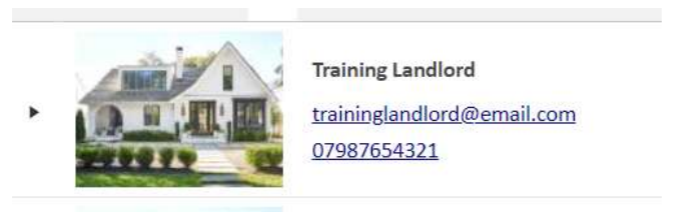
Find the landlord you wish to contact in the list.
Step 3 — Open the Contact Menu and Select Chat on WhatsApp
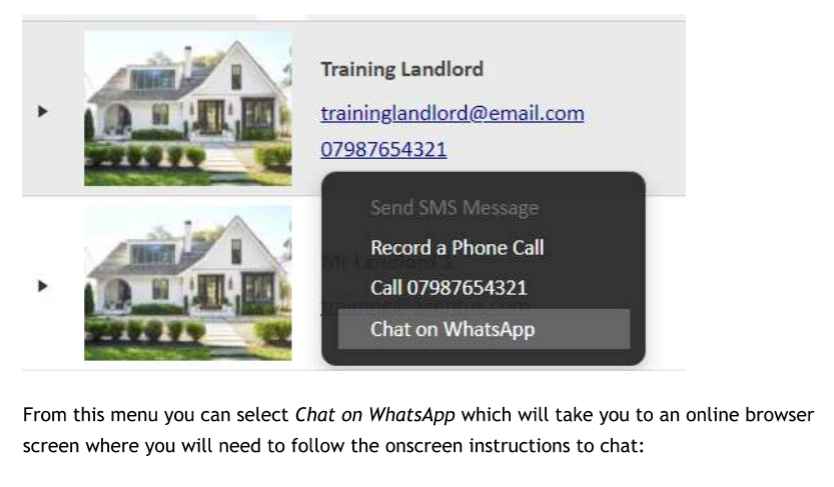
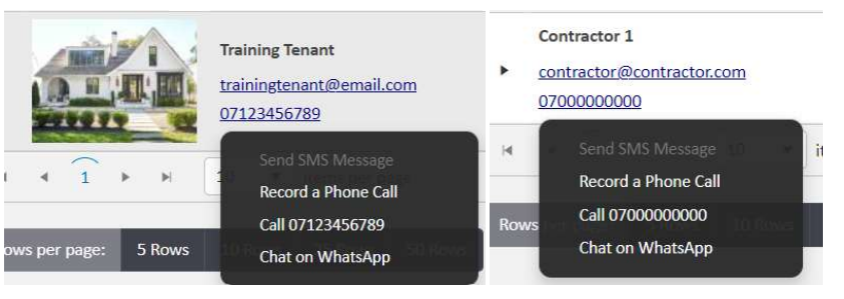
Click on the contact's phone number. A menu will appear with the following options:
- Send SMS Message
- Record a Phone Call
- Call [number]
- Chat on WhatsApp
Select Chat on WhatsApp. This will open WhatsApp Web in your browser, where you will need to follow the on-screen instructions to start the chat.
First-Time Use — Logging in via QR Code
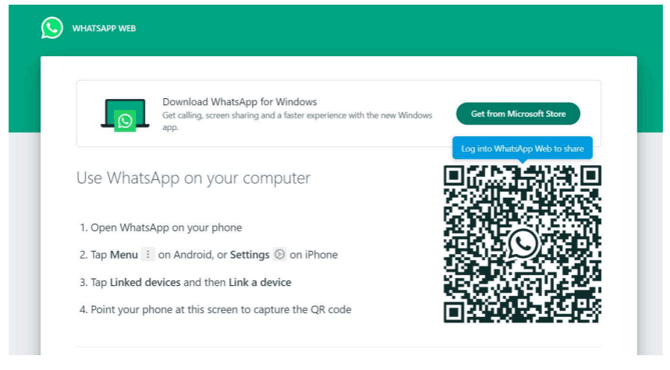
If you have not recently logged into WhatsApp on your browser, you will be prompted to log in using a QR code.
To do this:
- Open WhatsApp on your phone
- Tap Menu (Android) or Settings (iPhone)
- Tap Linked devices, then Link a device
- Point your phone at the QR code on screen to scan it
Using WhatsApp with Other Contact Types
The same process applies for all other people on agentOS, including tenants and contractors. Click on their phone number in any list view to access the Chat on WhatsApp option.
Accessing WhatsApp from a Tenancy Profile
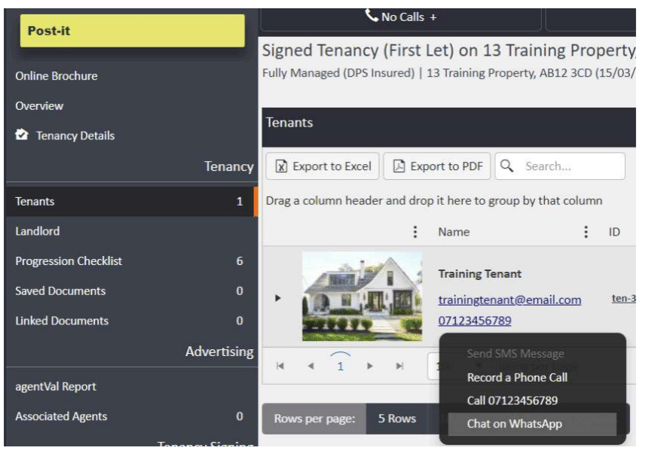
For tenants, you can also access the WhatsApp option from within the tenancy profile. Open the tenancy, then navigate to Tenants on the left-hand ladder. Click the tenant's phone number to bring up the menu and select Chat on WhatsApp.
Accessing WhatsApp for a Landlord from a Property Profile
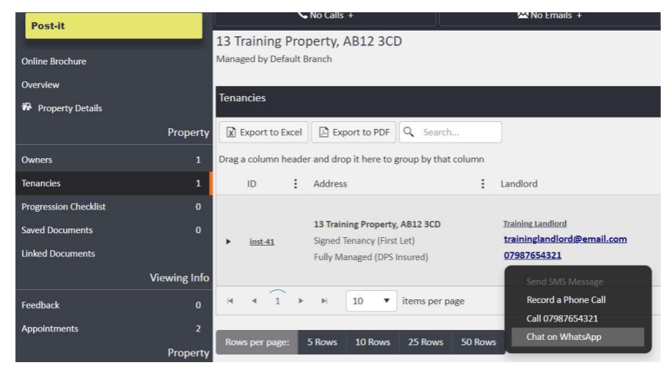
For landlords, you can also access the WhatsApp option from a property profile. Open the property, navigate to Tenancies on the left-hand ladder, and click the landlord's phone number to bring up the menu and select Chat on WhatsApp.
Important Note
If the Chat on WhatsApp option does not appear in the phone number menu for any of your contacts, this feature may need to be enabled on your account. Contact support@agentos.com for assistance.