
Video Guide
The video below covers how to resolve the most common issues experienced when attempting to log in to agentOS.
Re-enabling a Disabled Staff Account
If a staff member is unable to log in and cannot be found in the Staff list, their account may have been disabled. To locate and re-enable it:
- Go to the person icon in the top right-hand corner > Settings > Staff.
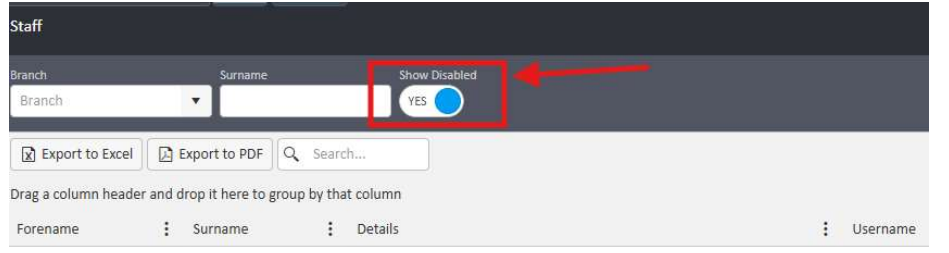
- On the Staff list screen, toggle Show Disabled to Yes to display disabled staff accounts.
- Use the search function to locate the relevant staff member.
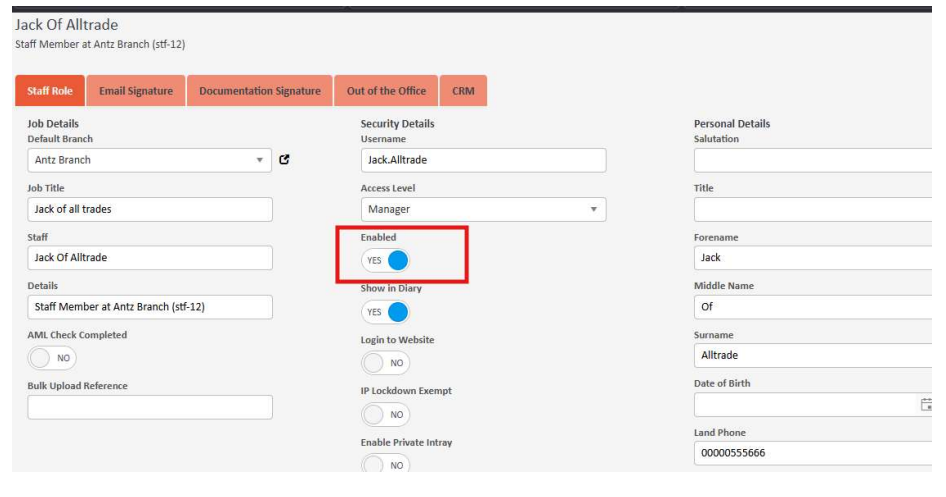
- Open the staff member's record and click Edit.
- In the Security Details section, locate the Enabled toggle and switch it from No back to Yes.
- Click Save to apply the changes.
For any further assistance with login issues, contact support@agentos.com.