
Who Can Reset a Password
If a staff member requires a password reset, any owner or client administrator level staff member at your agency can process this on their behalf.
Step 1 — Go to Settings
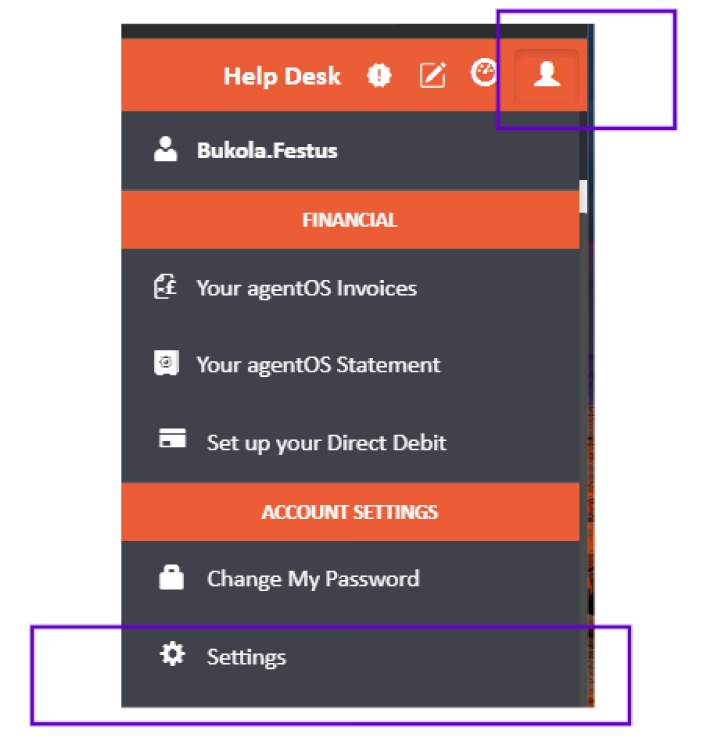
Click the person icon in the top right-hand corner of your agentOS dashboard and select Settings from the dropdown menu.
Step 2 — Open the Staff List
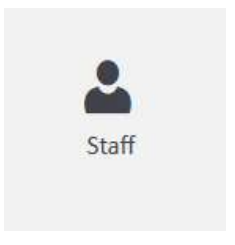
In the Settings area, click Staff to open the full list of staff members.
Step 3 — Locate the Staff Member and Reset Their Password
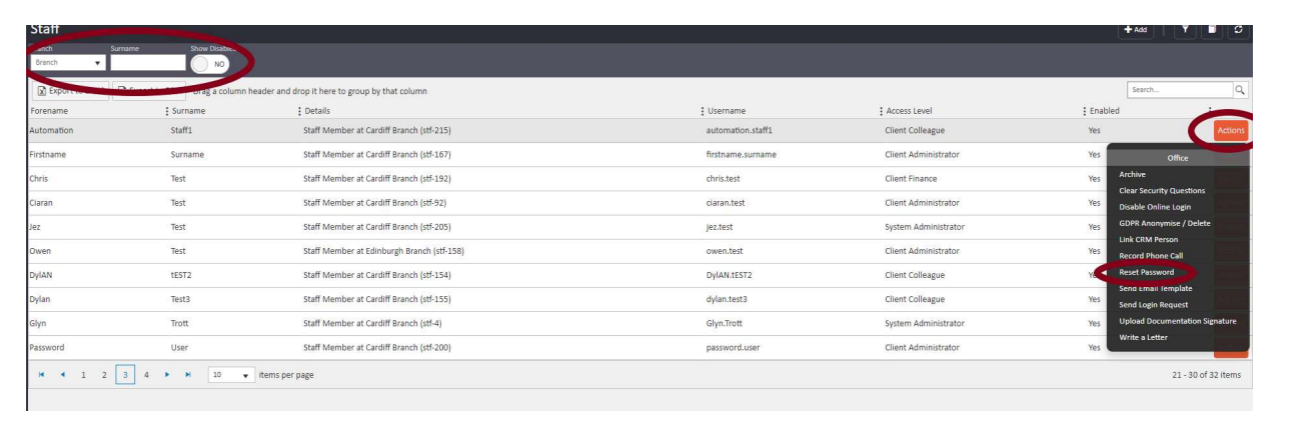
Once the Staff list is open, use the filter on the left-hand side to search for the staff member, or locate them directly from the list. Once found, click the Actions button to the right of their record and select Reset Password.
Set a temporary password for the staff member. Passwords must include at least one capital letter, one number, and one symbol such as , . ? ! @ —
A good example of a suitable temporary password is Password.1
Step 4 — Share the Temporary Password
Provide the temporary password to your colleague. When they log in for the first time using this password, they will be prompted to set a new password of their own choosing. Their new password must also include at least one capital letter, one number, and one symbol.
When prompted, the current password field refers to the temporary password you created for them, and the new password field is where they enter their chosen password.
Self-Service Password Resets with Single Sign-On (SSO)
agentOS supports Single Sign-On (SSO), which allows staff members to reset their own passwords without requiring administrator assistance. Setting up SSO for all staff members is recommended as it reduces administrative workload, improves security, and enables self-service password resets.
For more information on setting up and using SSO, please refer to the related article on Single Sign-On.
For any further assistance, contact support@agentos.com.