
Note: This article is intended for internal staff use only and is not intended for clients.
Pricing
The first SMS account is provided free of charge. If the client requires additional numbers — for example, one per staff member or per branch — there is a charge of £5 per month for each additional number.
Step 1 — Request the Number from Esendex
When a client asks for a new SMS text account to be added to the system, a virtual mobile number must be requested from Esendex before it can be set up in agentOS.
To do this, email support@esendex.com. If you prefer to call, the direct dial number is 0115 989 5178.
In the email, include the following details and attach the completed Esendex Order Form:
- An account label — the client name
- Whether they need a virtual mobile number — always Yes
- Which Esendex account to add it to — see below
Which Esendex Account to Use
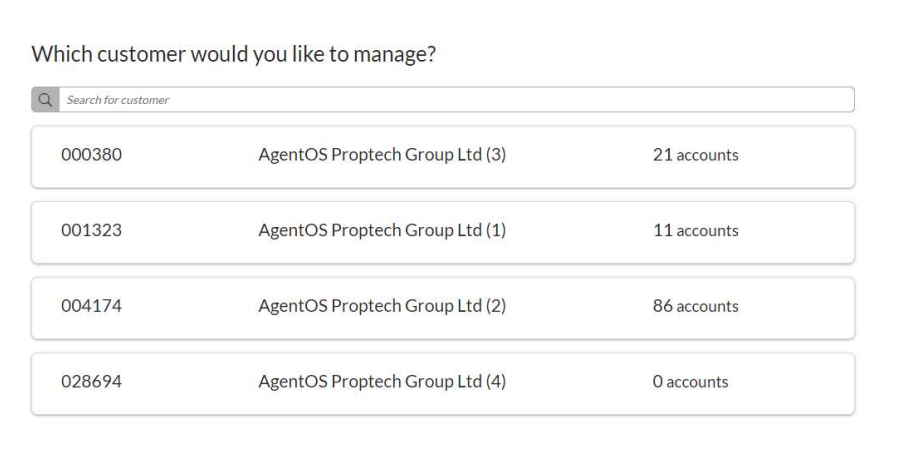
When specifying which Esendex account the number should be added to, refer to the following accounts. In most cases, use the account with the largest number of existing numbers, which is account 004174:
| Account Code | Account Name | No. of Accounts |
|---|---|---|
| 000380 | AgentOS Proptech Group Ltd (3) | 21 accounts |
| 001323 | AgentOS Proptech Group Ltd (1) | 11 accounts |
| 004174 | AgentOS Proptech Group Ltd (2) | 86 accounts |
| 028694 | AgentOS Proptech Group Ltd (4) | 0 accounts |
Step 2 — Receive the Details from Esendex
Esendex will respond with two pieces of information:
- Their reference number for the account (will begin with EX)
- The virtual phone number assigned (will begin with 44)
Step 3 — Add the Text Account in agentOS
Once the details have been received, go to the person icon in the top right-hand corner > Settings > Text Accounts.
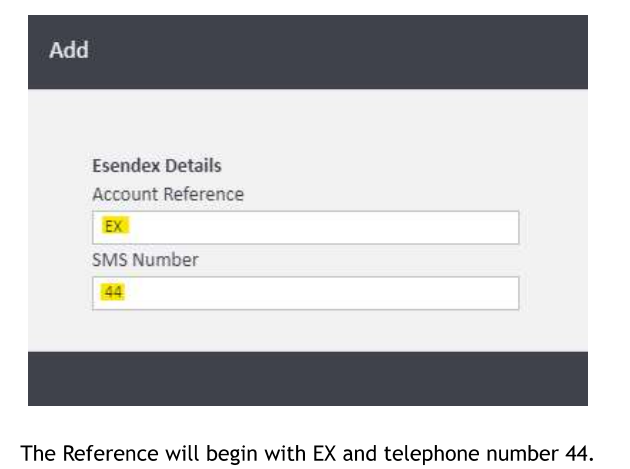
Click Add and fill in the details in the following format:
- Account Reference — enter the Esendex reference number beginning with EX
- SMS Number — enter the virtual phone number beginning with 44
Save the record. The SMS text account is now active and ready for the client to use.
For any questions, contact support@agentos.com.