
Step 1 — Access System Letter Templates
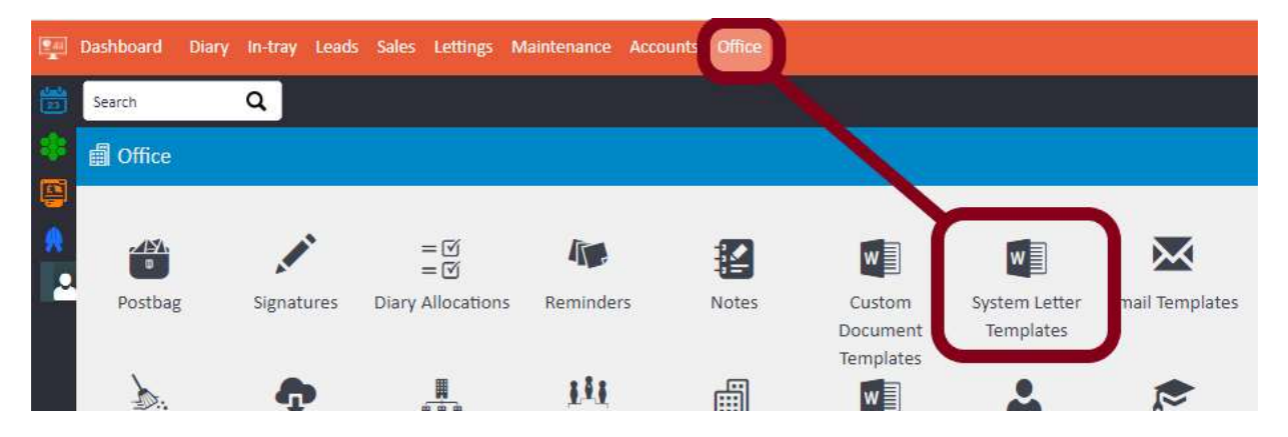
Go to Office > System Letter Templates.
Step 2 — Filter to Tenancy Agreement Letters
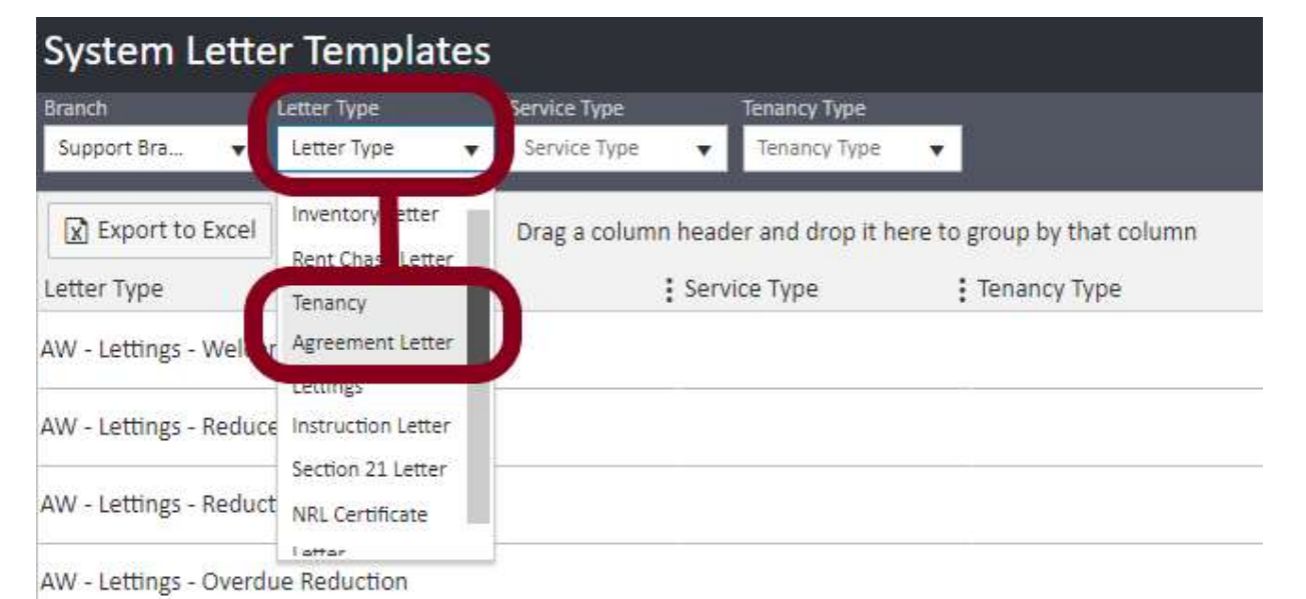
Once the System Letter Templates screen has opened, use the Letter Type filter at the top of the screen. From the dropdown, select Tenancy Agreement Letter and click Refresh. This will display all of the Tenancy Agreement templates on your system.
Step 3 — Check the Output Type
Before attempting to edit the document, check that the Output Type column for your Tenancy Agreement shows Editable Docx.
If the Output Type is not set to Editable Docx, do not attempt to make changes to the document yourself. Instead, email support@agentos.com and your ticket will be assigned to a member of the Documentation Team, who will remove the fees on your behalf.
Step 4 — Download the Template File
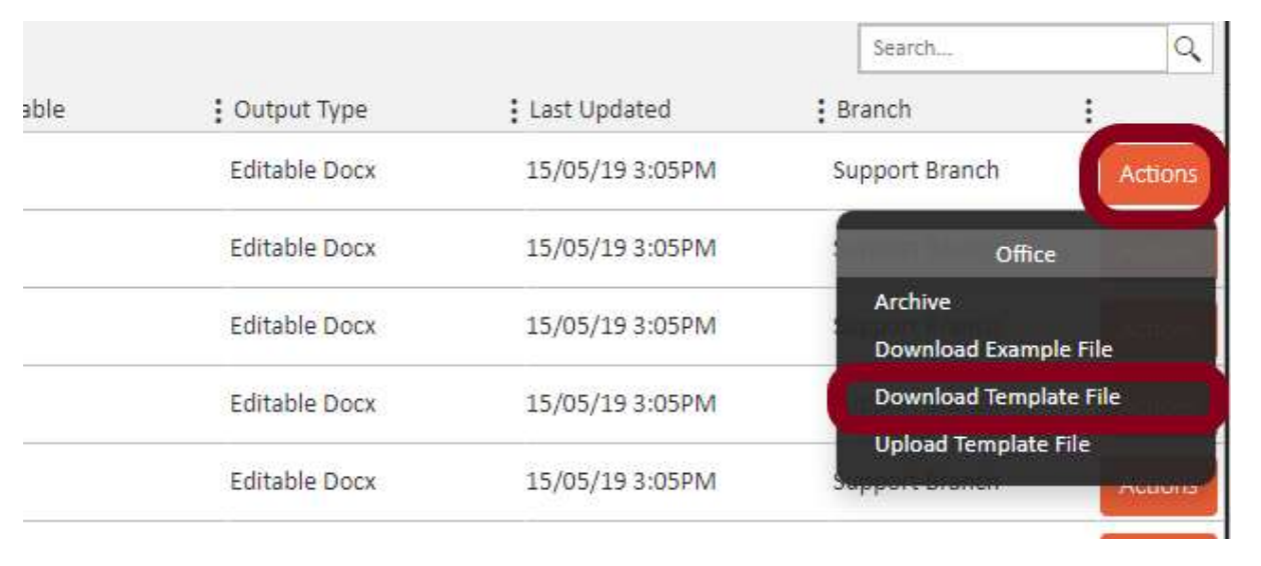
Click the Actions button on the right-hand side of the agreement you want to edit and select Download Template File.
The file will download to wherever you have your downloads folder set up on your computer.
Step 5 — Edit the Document in Microsoft Word
Open the downloaded file in Microsoft Word. If you know which section of the document contains the tenant fees, navigate to it and remove the relevant text.
If you are unsure where the fees appear, use the Find function in Word (Ctrl + F) or click the small Find button at the top of the Word toolbar to search for the relevant text.
Once you have made and reviewed all of your changes, click File > Save to save the document.
Step 6 — Re-upload the Template File
Return to agentOS and go back to Office > System Letter Templates, filtering again to Tenancy Agreement Letter as in Step 2.
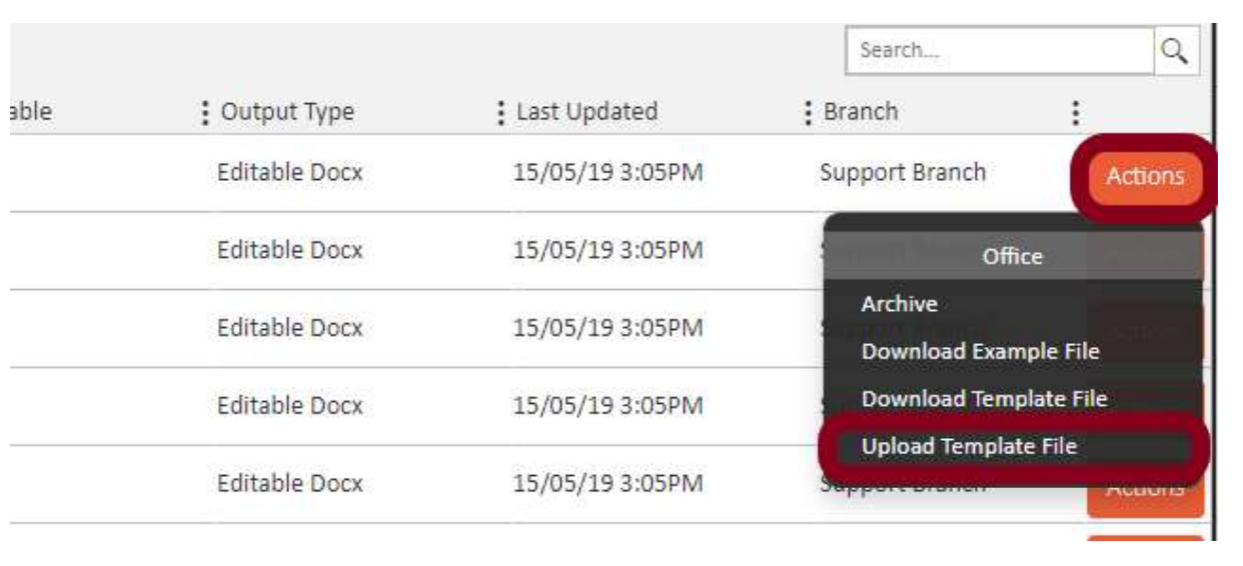
Click the Actions button on the same agreement you downloaded and this time select Upload Template File.
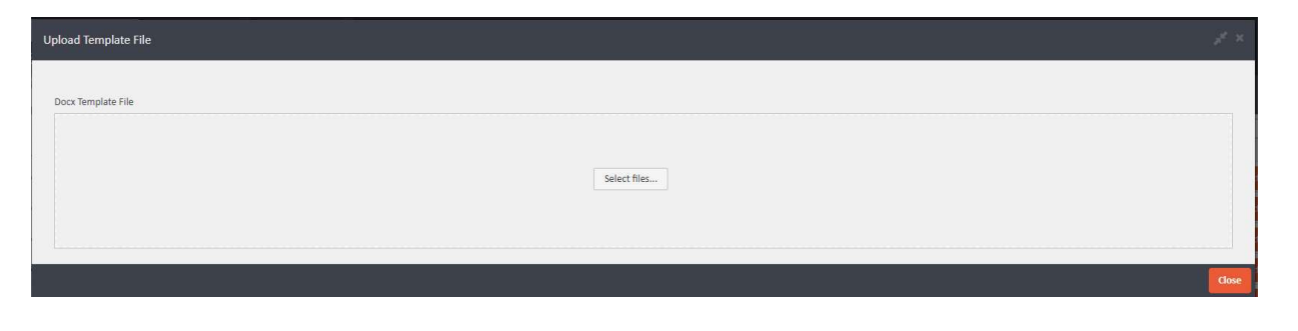
A new window will open. Either drag and drop your edited file into the upload area, or click Select files… to browse for the file on your computer.
Once the file has been uploaded, click Close. The Tenancy Agreement template will now be updated with your changes.
For any questions or if your agreement is not set to Editable Docx, contact support@agentos.com.