
Releasing a tenant removes them from an active tenancy record in agentOS. This is used when a tenant is leaving a shared tenancy whilst others remain, or when a tenant needs to be removed from the record for another reason.
Step 1: Open the tenancy
Use the quick search bar to find the property by address and open the relevant tenancy. Alternatively, navigate to the property record and click Tenancies in the left-hand navigation ladder to find and open the tenancy.
Step 2: Navigate to Tenants
Within the tenancy, click Tenants in the left-hand navigation ladder. This will display a list of all tenants currently linked to the tenancy.
Step 3: Release the tenant
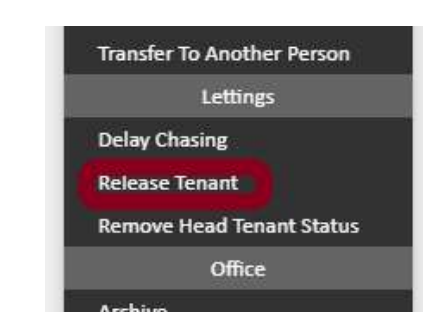
Find the tenant you wish to release. Click the Actions button on the right-hand side of their row. A dropdown menu will appear with two sections — Lettings and Office. Under the Lettings section, select Release Tenant.
If you need further assistance, contact the agentOS support team at support@agentos.com.