
It is a legal requirement to make an Energy Performance Certificate (EPC) publicly available when advertising a property to let or for sale. In agentOS, this is done by marking the uploaded EPC document as public from within the certificate record.
Step 1: Open the Property Record and Navigate to Certificates
Open the property record and look for Certificates in the left-hand navigation panel.
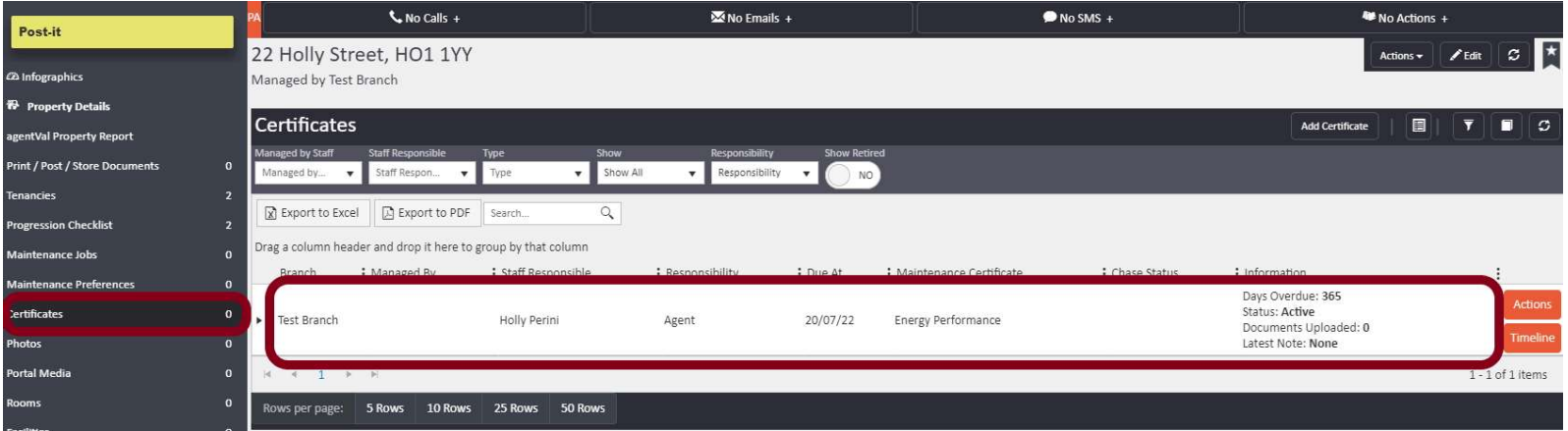
Click on the EPC certificate entry to open it.
Step 2: Open the Saved Documents Section
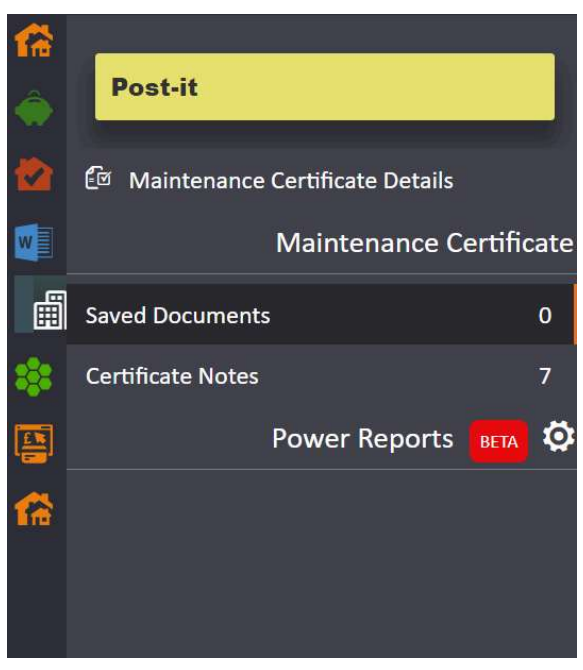
Inside the certificate record, you will see the left-hand panel. Click on Saved Documents.
Step 3: Access the Actions Menu
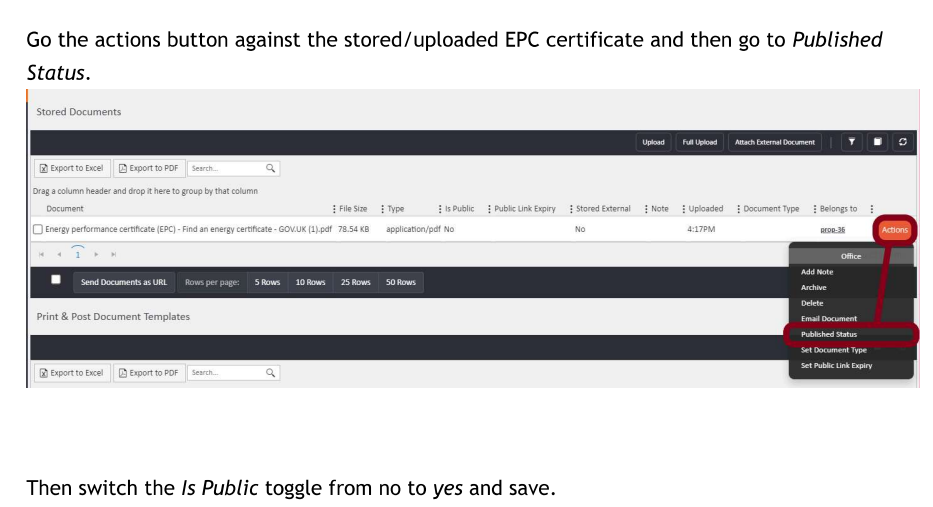
In the Saved Documents grid, you will see the uploaded EPC file listed. Click the Actions button on the right-hand side of that document row. A dropdown menu will appear with the following options: Add Note, Archive, Delete, Email Document, Published Status, Set Document Type, and Set Public Link Expiry.
Select Published Status.
Step 4: Toggle 'Is Public' to Yes
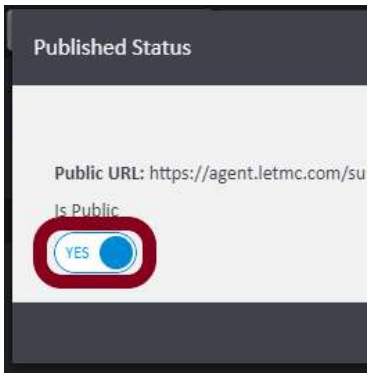
The Published Status panel will open, showing the document's public URL and an Is Public toggle currently set to No.
Switch the toggle to Yes and save.
The EPC document is now publicly accessible and will display on the property advert as required.
Need Help?
If you have any questions about certificates or document settings in agentOS, contact the support team at support@agentos.com.