
If you need to identify which member of staff added a particular landlord, tenant, or contractor to agentOS, the Security Audit report provides a clear record of all new person entries.
Step 1: Navigate to the Security Audit report
Go to Office and select Security Audit.

Step 2: Set the filters
In the Security Filter bar, set the following:
- Report on: New People
- Date From / Date To: Set the date range covering the period you want to investigate
- Branch and Staff: Filter further by branch or specific member of staff if needed
- First Ordering: Date Descending (to show the most recent entries first)
Then click Generate Report.

Step 3: Review the results
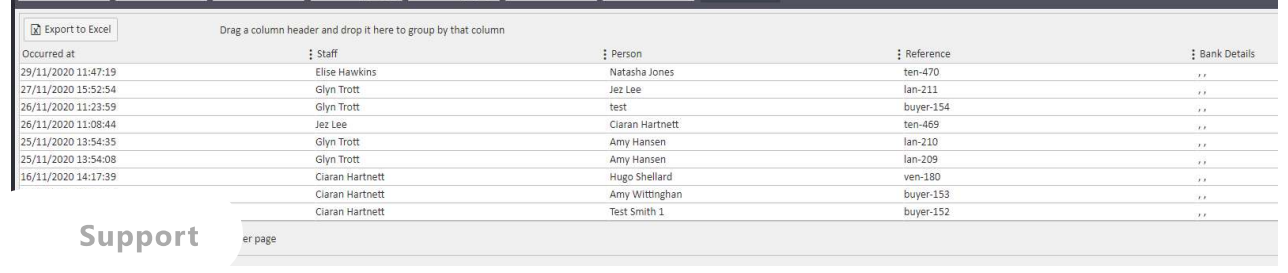
The report will display a list of all new person records created within your chosen date range, showing the date and time the record was added, the staff member who added it, the person's name, their reference number, and any bank details that were entered at the time.
Need Help?
If you have any questions about the Security Audit report in agentOS, contact the support team at support@agentos.com.