
agentOS can match active applicants to a tenancy instruction based on criteria such as rent range, number of rooms, and tenant type. You can access this matching from within the tenancy record and contact suitable applicants directly.
Step 1: Open the Tenancy
Use the quick search bar to find the property, then open the relevant tenancy. If you have more than one instruction on the property, select the correct one from the Tenancies list.
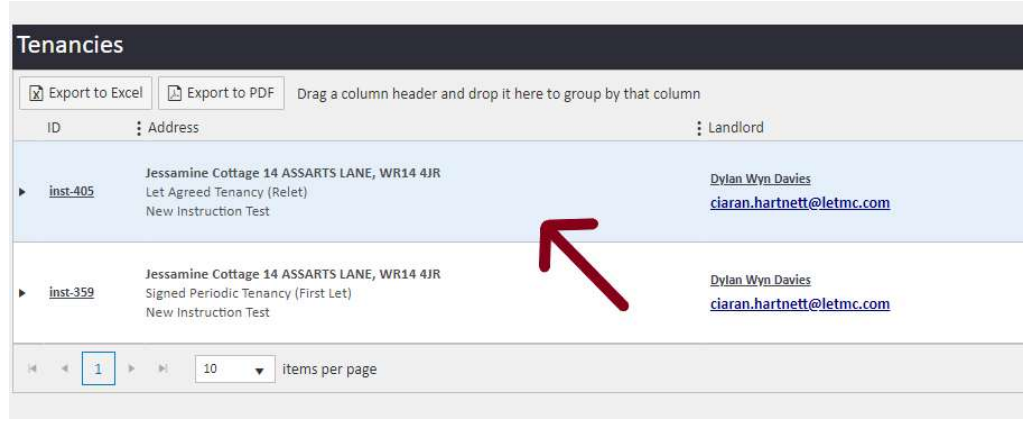
Step 2: Navigate to Applicants Matching Property
Inside the tenancy, scroll down the left-hand navigation ladder. You will see two sections: Applicants Matching Property and Potential Applicants Matching Property.
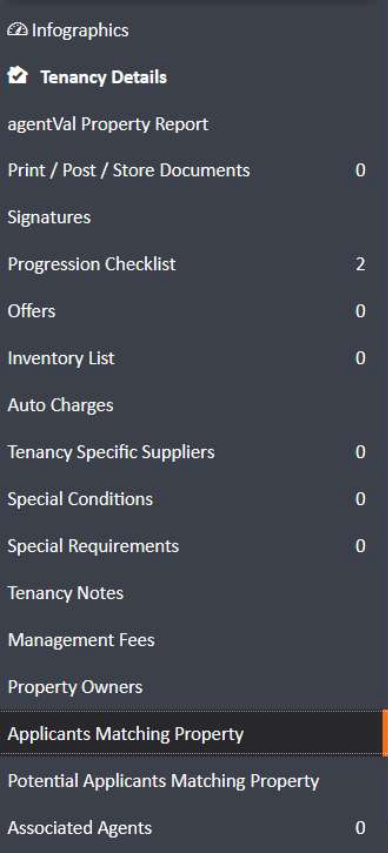
Click Applicants Matching Property.
Step 3: View and Contact Matching Applicants
agentOS will generate a list of active applicants whose property requirements match the tenancy instruction — based on criteria including rent range and number of rooms.
From this list, you can contact individual applicants directly. Click the Actions button on the right-hand side of the applicant row and select how you want to send the property details:
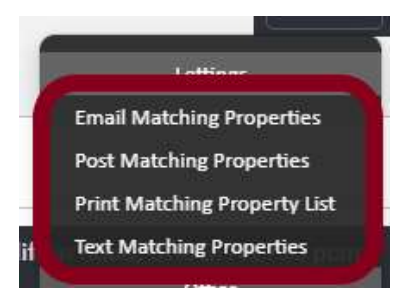
- Email Matching Properties — sends by email
- Post Matching Properties — generates a letter
- Print Matching Property List — prints the list
- Text Matching Properties — sends by SMS
Step 4: Use Potential Applicants to Model a Rent Reduction
If the property is proving difficult to let, the Potential Applicants Matching Property section allows you to model how changing the rent would affect the pool of matching applicants.
Click Potential Applicants Matching Property in the left-hand navigation ladder. You can then adjust the Rent filter — for example, reducing by 10% or 30% — to see how many additional applicants would match at a lower price point.
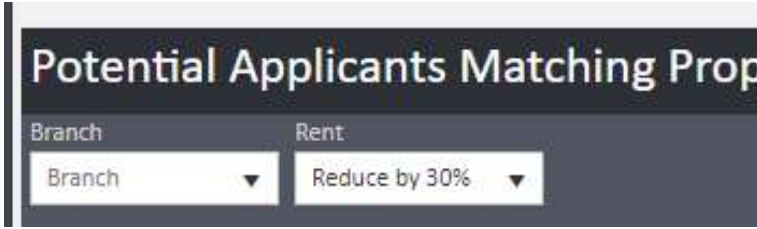
This is a useful tool for having an informed conversation with the landlord about pricing — you can show them exactly how many more applicants become available if the asking rent is reduced.
Need Help?
If you have any questions about applicant matching in agentOS, contact the support team at support@agentos.com.