
An extension is used when a tenancy has no end date and you want to carry out a formal extension process. This is different from a renewal, which applies to tenancies with an existing end date.
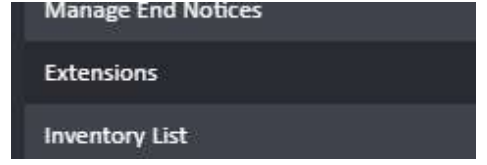
Step 1: Navigate to Extensions
Open the tenancy profile and click Extensions in the left-hand navigation ladder.
Step 2: Create an Extension Proposal
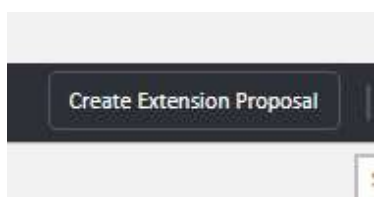
Click Create Extension Proposal in the top right-hand corner of the Extensions page.
Fill in the details of the extension in the form that appears:
- Type — select the type of extension (e.g., Periodic Review Date)
- Proposal Start — the date from which the extension begins
- Extend By — select the number of months and/or days to extend by
- Rent Amount — enter the new or continued rent amount
- Rent Schedule — select the frequency (e.g., Monthly)
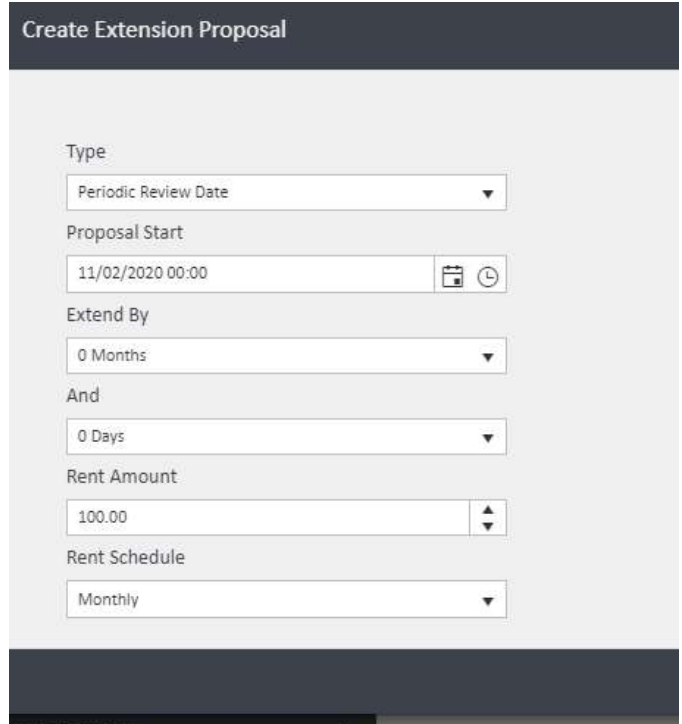
Once complete, click Create Extension Proposal to save.
Step 3: Begin the Proposal
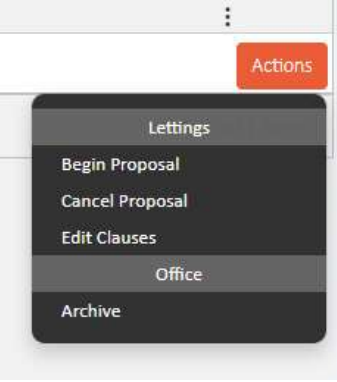
Click the Actions button next to the proposal you have just created. From the dropdown, select Begin Proposal to start the extension process.
⚠️ Note: Any documents generated during this process will be sent to the postbag for authorisation.
Step 4: Manage the proposal
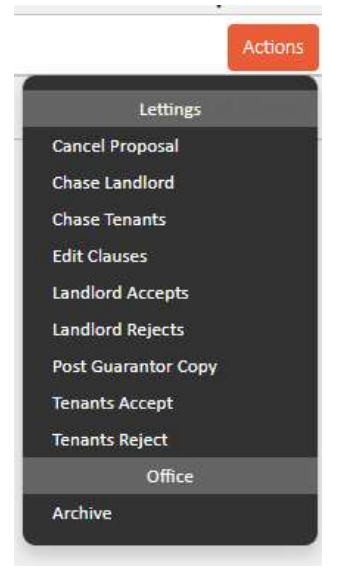
Once the proposal has been begun, the Actions menu will update to show the full range of options available during the extension process:
- Cancel Proposal — cancels the extension if it is no longer proceeding
- Chase Landlord — sends a chase to the landlord
- Chase Tenants — sends a chase to the tenants
- Edit Clauses — allows you to amend the clauses within the proposal
- Landlord Accepts — records that the landlord has accepted the proposal
- Landlord Rejects — records that the landlord has rejected the proposal
- Post Guarantor Copy — sends a copy of the proposal to the guarantor
- Tenants Accept — records that the tenants have accepted the proposal
- Tenants Reject — records that the tenants have rejected the proposal
Step 5: Complete the extension
Once both the landlord and tenant have accepted the proposal, use the Actions menu to record each acceptance. When the signed documents have been returned, change the status to Signed. This will then allow you to Complete the extension, finalising the process.
Tip: If you need to carry out a renewal rather than an extension, refer to the Renew a Tenancy guide. Renewals apply to tenancies that already have an end date set.
If you need any assistance, contact the agentOS support team at support@agentos.com.