
If an auto charge is no longer applicable to a tenancy — for example, if a fee structure has changed or a charge was set up in error — you can disable it directly from the tenancy record.
Disabling an Auto Charge on a Tenancy
- Open the relevant tenancy record.
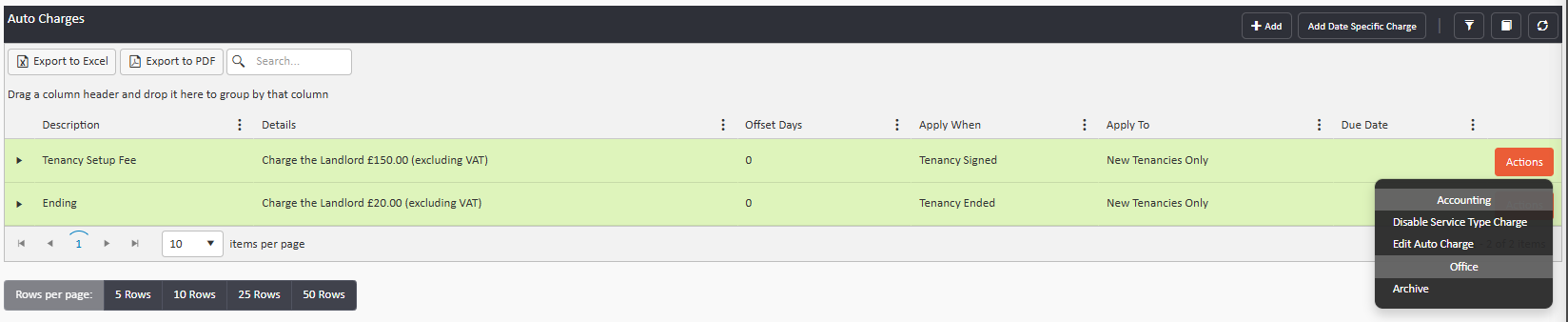
- Click Auto Charges in the left-hand menu. This will display all active auto charges on that tenancy.
- To the far right of each charge, click the Actions button.
- Select Disable Auto Charge.
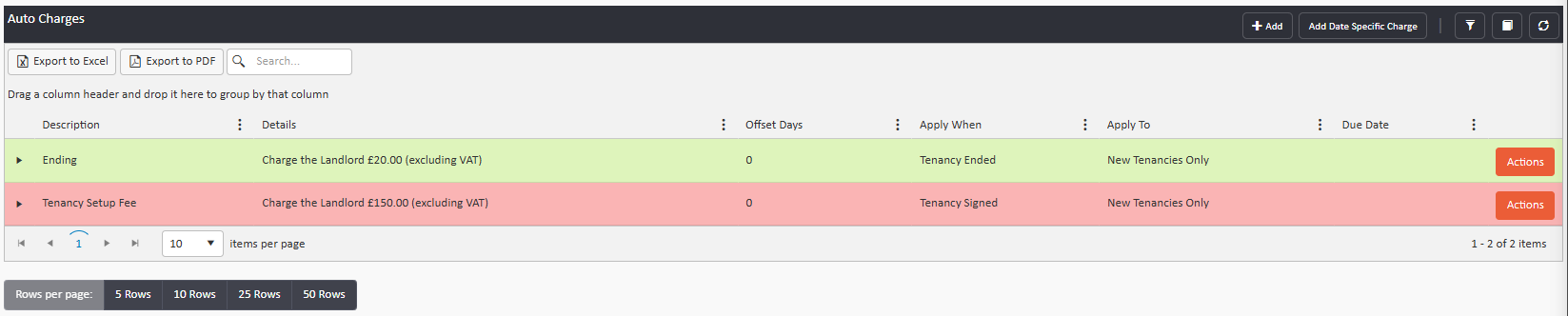
The charge will turn red to confirm it has been successfully disabled.
Deleting a Service Type Auto Charge
Auto charges can also be set at the service type level, meaning they apply to all tenancies under that service type. If you need to disable one of these:
- Click the person icon in the upper right of any page.
- Select Object Types, then Service Types.
- Click on the relevant service type to open it.
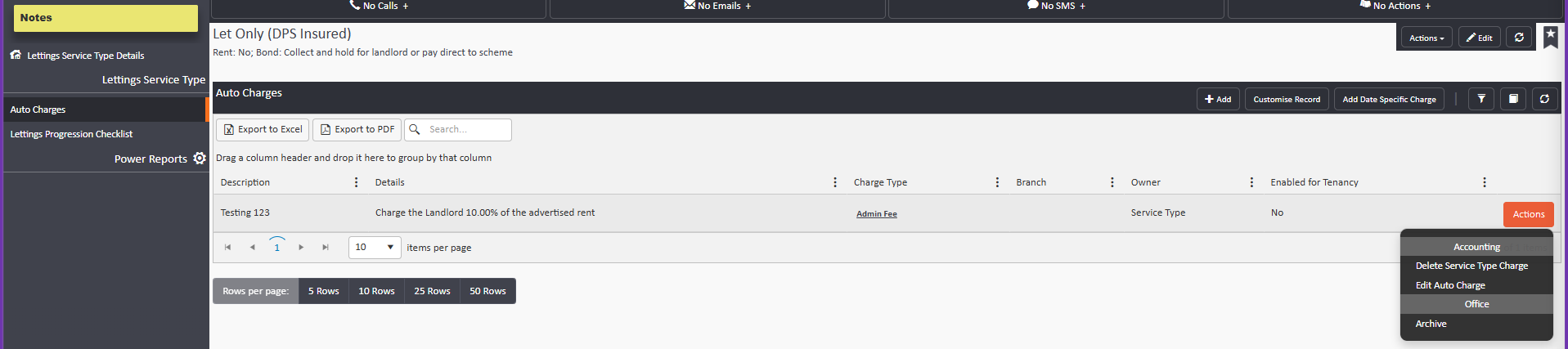
- Click Auto Charges in the left-hand menu.
- Click the Actions button next to the charge you wish to disable.
- Select Delete Auto Charge.
Note: Deleting a service type auto charge will affect all tenancies associated with that service type. If you only need to remove the charge for one specific tenancy, disable it from the tenancy record directly rather than at the service type level.
Need help? Contact support@agentos.com