
If you need to temporarily pause rent chasing for a particular tenant — for example, because a payment arrangement is in place or you are awaiting further information — you can use the Delay Chasing feature in agentOS. This removes the tenant from the Rent Chase list until a date you specify.
Option 1: From the Rent Chase list
- Go to Accounting > Rent Chase.
- Locate the tenant in the list.
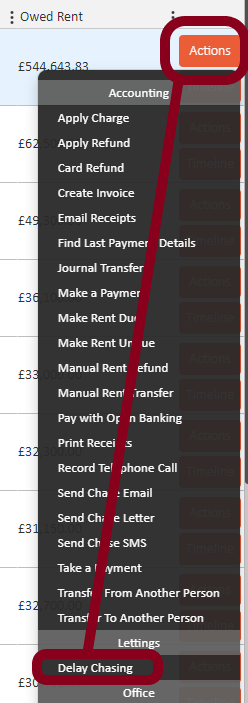
- Click the Actions button to the right of their entry.
- Under the Lettings section of the menu, select Delay Chasing.
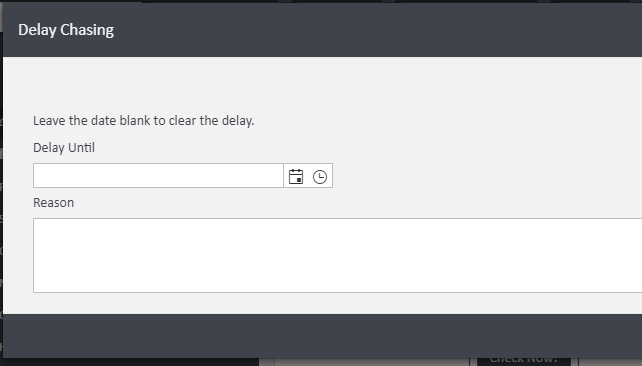
- Enter a Delay Until date and an optional Reason for your records.
- Click to confirm.
The tenant will be hidden from the Rent Chase list until the date you have entered.
Option 2: From the tenant's profile
- Search for the tenant by name in the search bar and open their record.
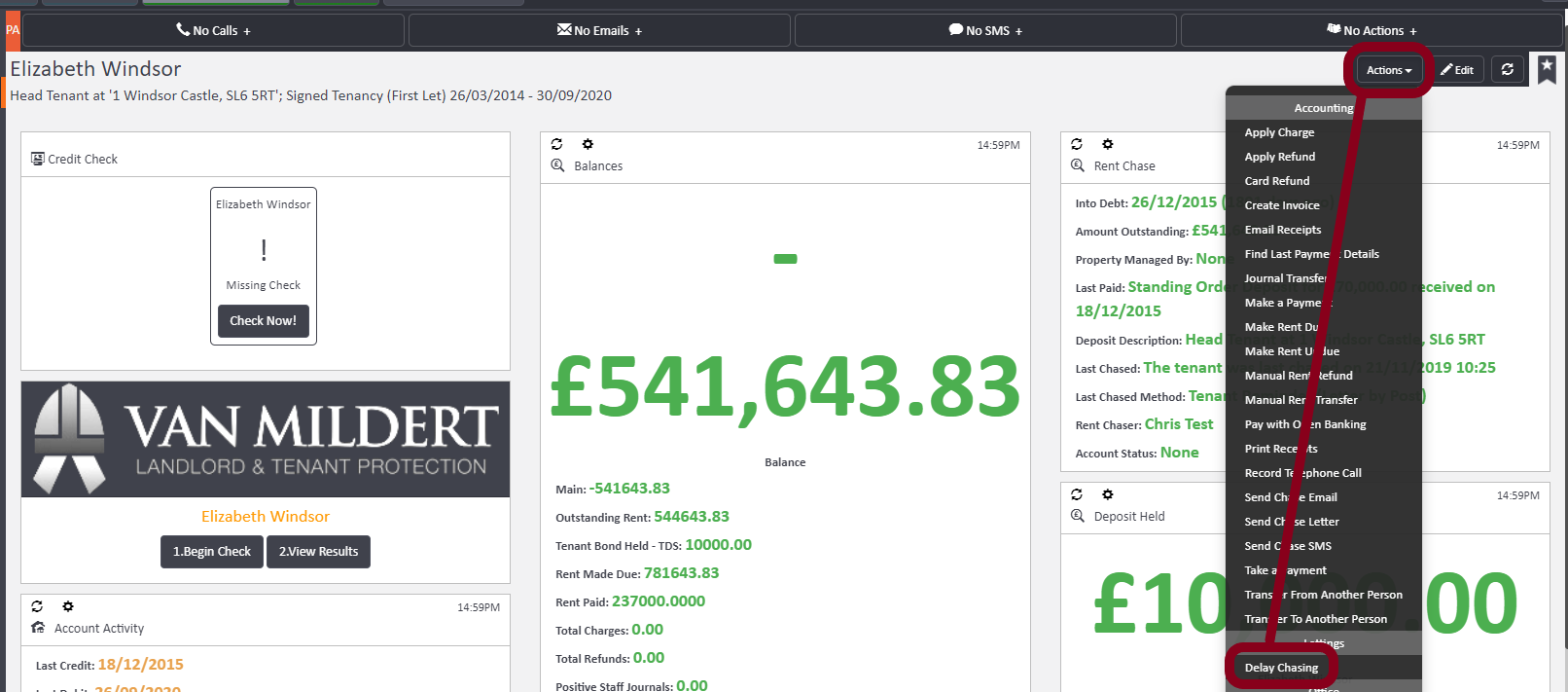
- Click the Actions button in the top right of their profile.
- Select Delay Chasing from the menu.
- Enter a Delay Until date and an optional Reason.
- Click to confirm.
To clear a delay: Return to the Delay Chasing option for the tenant and leave the date field blank. This will remove the delay and the tenant will reappear in the Rent Chase list.
If you need help with rent chasing or delay settings, contact support@agentos.com.