
What the Online Login Email Template Controls
The online login email template governs the content of emails sent to contacts when they are issued with login credentials for the GDPR portal or the landlord/tenant portal. This includes the initial login request email and password reset emails. Each recipient type — such as tenant, landlord, contractor, sales agent, applicant buyer, solicitor, vendor, and lettings prospect — has its own version of the template that can be customised independently.
Accessing the Email Templates
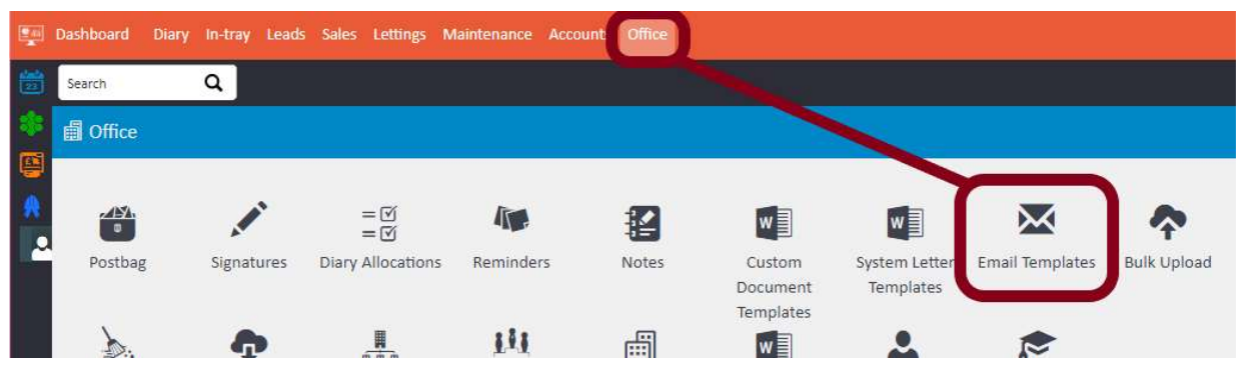
To access the templates, go to Office > Email Templates.
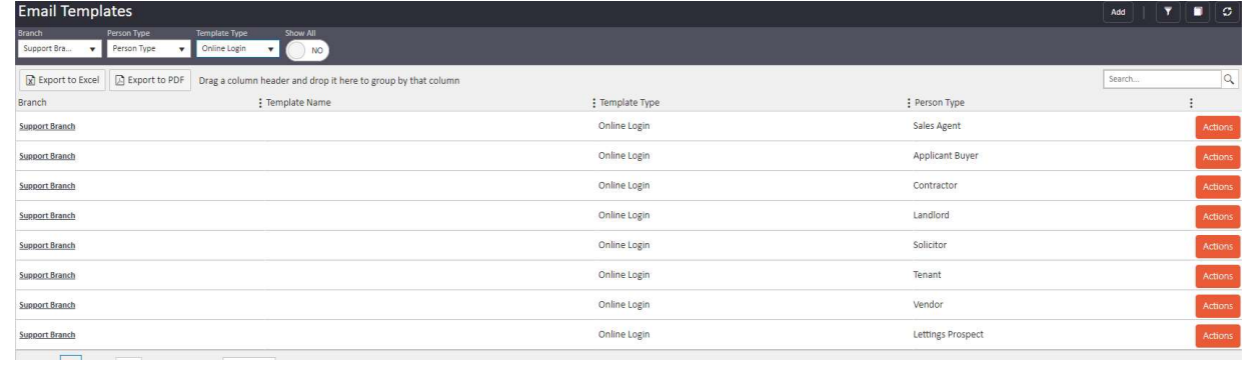
The Email Templates screen will display a list of all available templates. Use the filters at the top of the screen to filter by Branch, Person Type, and Template Type. To find the online login templates, set the Template Type filter to Online Login.
Editing a Template
Click on the relevant template — for example, the one for Tenants — to open it.
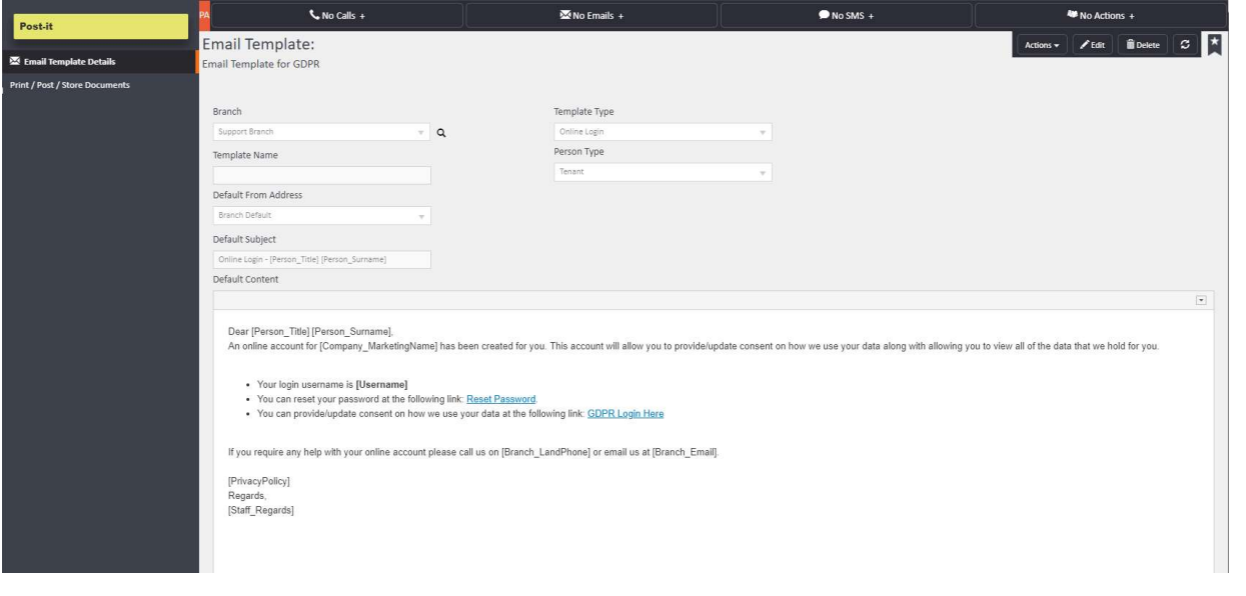
The template record shows the following fields:
- Branch — the branch the template is associated with
- Template Type — set to Online Login
- Person Type — the recipient category (e.g. Tenant)
- Default From Address — the email address the template will be sent from
- Default Subject — the subject line of the email (e.g. Online Login – [Person_Title] [Person_Surname])
- Default Content — the body of the email, which can include merge tags to pull in data from the system
The default content of the template includes merge tags such as:
- [Person_Title] and [Person_Surname] — to personalise the greeting
- [Company_MarketingName] — to include the company name
- [Username] — to display the recipient's login username
- Reset Password — a link for the recipient to reset their password
- GDPR Login Here — a link to the GDPR portal
- [Branch_LandPhone] and [Branch_Email] — to include branch contact details
- [PrivacyPolicy] and [Staff_Regards] — to include the privacy policy and staff sign-off
Click Edit in the top right-hand corner to make changes. You can adjust any part of the content, hide sections you do not need, and reword it to suit your agency's tone and style.
Once you have made your changes, save the template. Going forward, whenever a login email is sent to that recipient type, your customised version will be used by default.
For any questions, contact support@agentos.com.