
agentOS comes with the following standard maintenance job status types:
- Reported — the job has been logged and is awaiting action
- Actioned — work is underway
- Closed — the job has been completed
You can extend this list with your own custom statuses to better reflect the stages in your own maintenance workflow (for example, "Awaiting Quote", "Parts Ordered", or "Tenant Notified").
To add a new maintenance job status type:
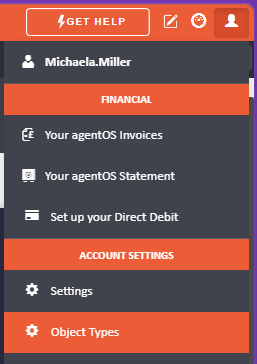
- Click the person icon in the top right corner of your screen.
- Select Object Types from the menu.
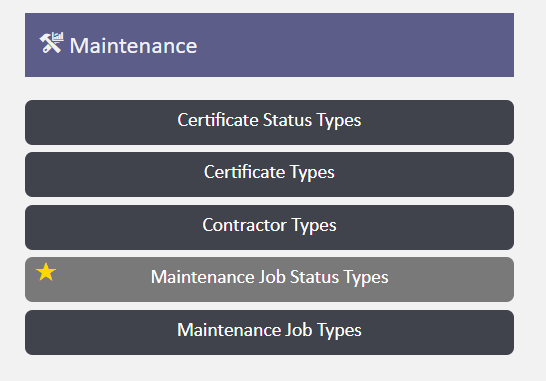
- Under the purple Maintenance section select Maintenance Job Status Types.
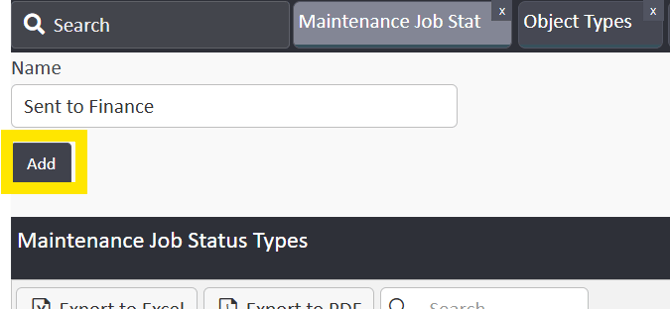
- Enter the name of your new status in the Name field.
- Click Add to save it.
The new status will immediately be available when managing maintenance jobs across your portfolio.
Note: If you need help configuring your maintenance settings, contact support@agentos.com.