
If the standard rent schedule options in agentOS do not cover the periods you need, you can create a custom payment schedule template. Once saved, the template can be applied to any tenancy without having to set up the schedule manually each time.
Step 1: Navigate to Object Types
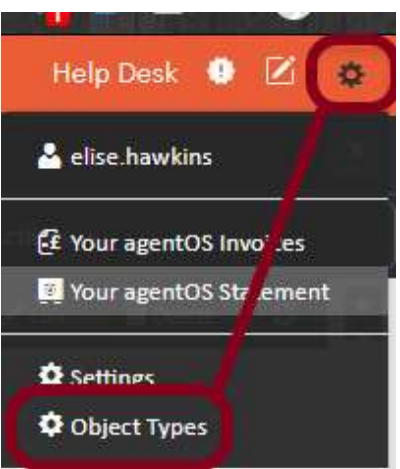
Click the person icon in the top right corner of agentOS to open the Control Panel, then select Object Types from the menu.
Step 2: Select Payment Schedule Templates
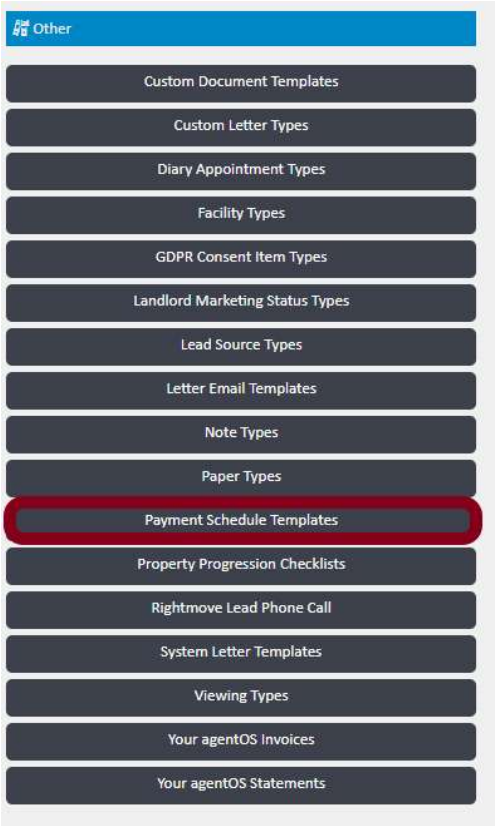
In the Object Types screen, scroll down to the Other section and click Payment Schedule Templates.
Step 3: Create a new template
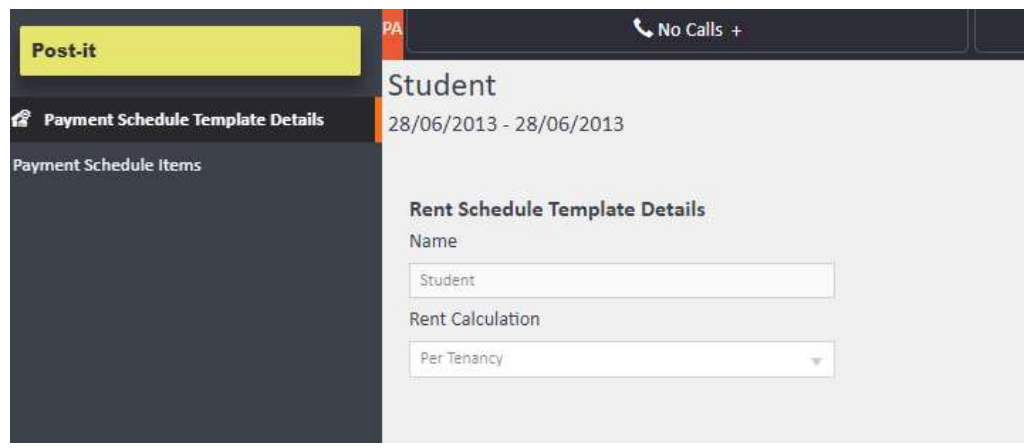
Click + Add in the top right corner to create a new template. Give your template a name and set the Rent Calculation type, then save.
Once saved, click Payment Schedule Items in the left-hand navigation of the template record to begin adding your schedule entries.
Step 4: Add schedule items
Click Add to open the Rent Schedule Item Details form. For each item, enter:
- Charge On — the date on which that rent instalment should be charged
- Chargeable Days — the number of days that instalment covers
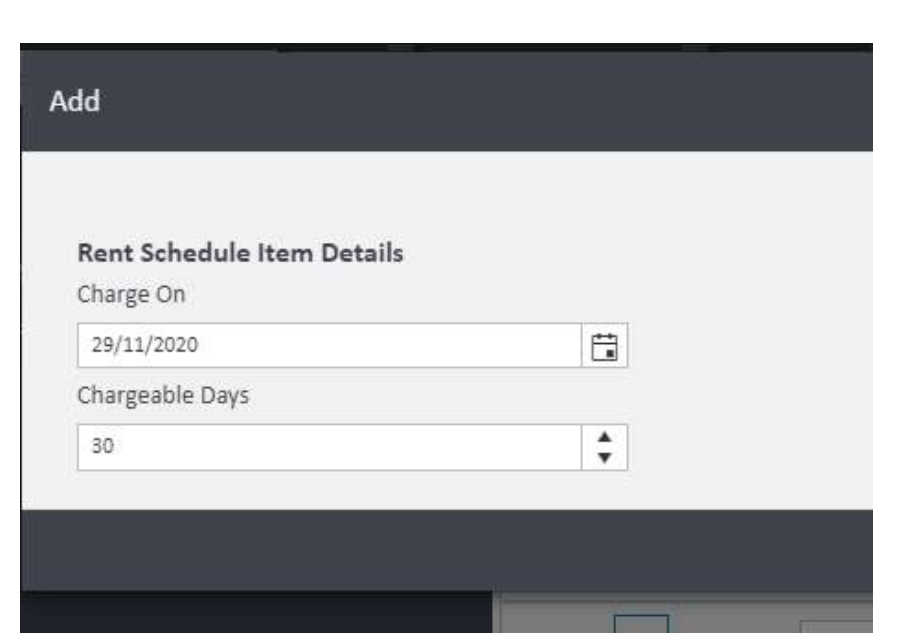
Save each item and repeat until your full schedule has been entered. When you save and close the template, your preferences are retained and the template is ready to use.
Step 5: Apply the template to a tenancy
Navigate to the relevant tenancy and click Payment Schedule in the left-hand navigation ladder. Then click Setup From Template.
A panel will open showing a list of your saved templates. Select the correct one from the dropdown — options will include all previously created templates such as Housing Benefit, Payment Schedule, and Student.
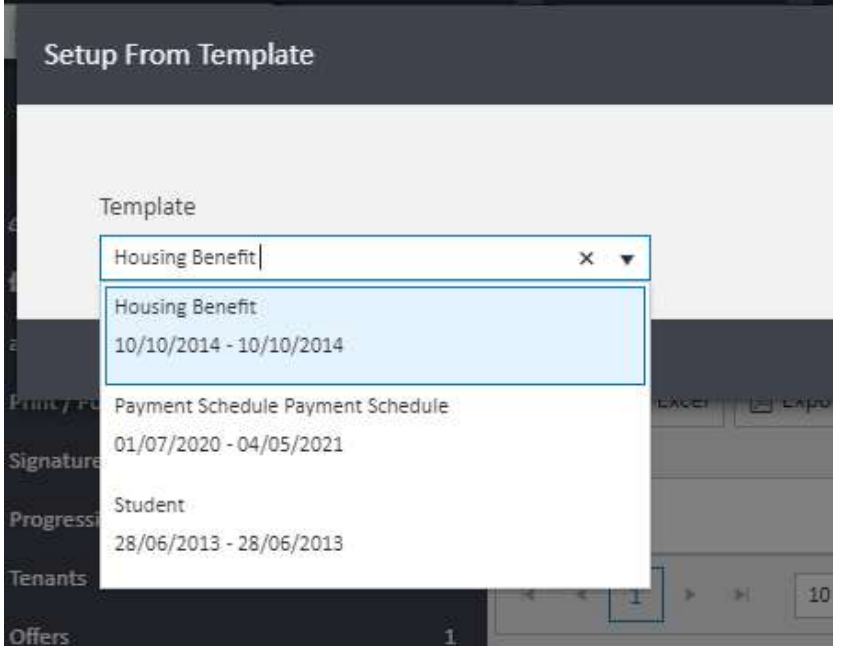
The template will import onto the tenancy's payment schedule immediately.
Need Help?
If you have any questions about payment schedule templates in agentOS, contact the support team at support@agentos.com.