
Once your tenancy instruction has been created and all relevant details saved, you can advertise the property to your connected portals directly from within agentOS.
To advertise:
- Open the tenancy instruction (navigate to the property via the quick search bar, then click Tenancies in the left-hand navigation ladder)
- Click the Actions button
- Select Advertise from the dropdown menu
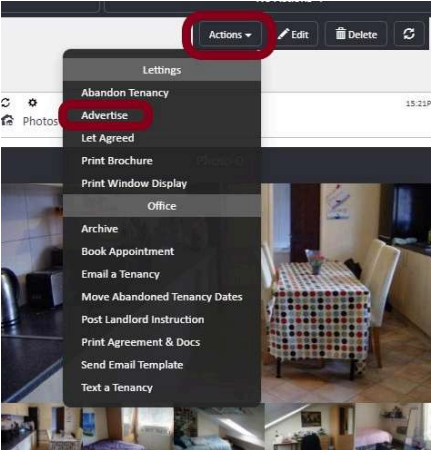
This will push the tenancy data through to your connected property portals.
Make sure all marketing details — including the advertised rent, availability date, furnished status, and bedroom information — are complete before advertising, as this is the information that will appear on the portals.
If you need further assistance, contact support@agentos.com.