
If you have a duplicate or unused property or person profile in agentOS, it is not possible to delete it from the system. This is by design — audit trails and account histories must be preserved for compliance purposes.
Recommended approach: rename and archive
Step 1: Find and open the profile
Use the quick search bar at the top of your screen to find the property or person you wish to flag. If this is a duplicate, take care to confirm you are opening the correct profile before making any changes.
Step 2: Edit the name to include (DO NOT USE)
Click Edit in the top right corner of the profile.
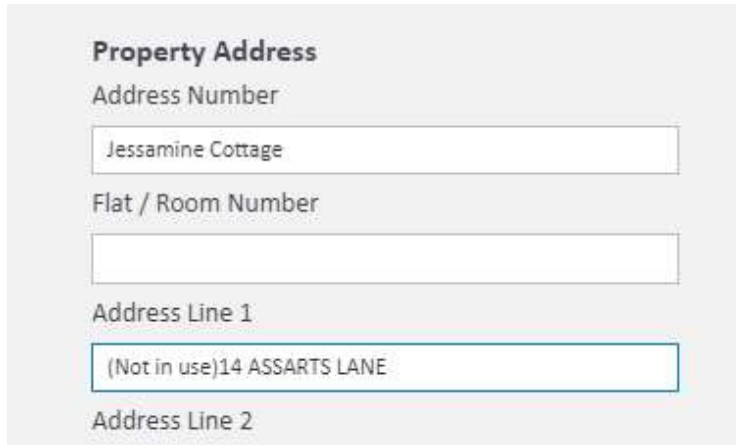
Within the record's details, update the property address or person name to include (DO NOT USE). For example, a property might be renamed to read "(Not in use) 14 Assarts Lane" in the address field.
This makes it immediately clear to all system users that no actions should be taken on this profile unless specifically instructed. The record will still retain all existing data — including account information and contact history — should you ever need to refer back to it.
Step 3: Archive the profile
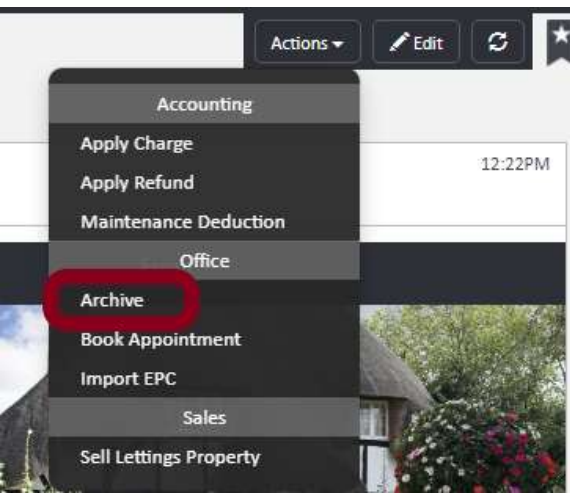
Once the name has been updated, click the Actions button and select Archive from the Office section of the dropdown.
Reusing a (DO NOT USE) profile
If a profile has been marked as (DO NOT USE) but no activity has taken place on it since it was flagged, you can repurpose it for a new property or person by editing the name and updating the relevant details.
If you need further assistance, contact support@agentos.com.