
What is the agentOS Customer Portal?
The agentOS Client Support Portal is a secure, login-protected area where your team can view, track, and respond to your support tickets with agentOS — all in one place, without needing to contact us directly for a status update.
It is powered by HubSpot's Customer Portal feature, which is integrated with our support ticketing system.
What can I do in the Support Portal?
Once logged in, you can:
- View all open and closed support tickets associated with your company
- See the current status of each ticket and any updates from the agentOS support team
- Reply to tickets directly from the portal
- Search for tickets by keyword or filter by status
- Submit new support requests
How do I access the Support Portal?
Via a direct link — your portal URL is: https://hub.agentos.com/support-portal
How do I log in for the first time?
You will receive a registration email from agentOS inviting you to set up your login credentials. Once registered, you can log in at any time using your email address and password.
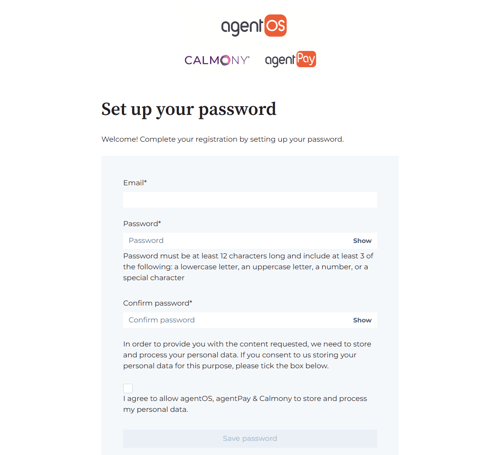
If you have not received a registration email:
- Check your spam or junk folder
- Contact support at support@agentos.com to request access
Who at my company can access the portal?
Access is granted per contact record. Your designated portal users will each receive their own login — they do not share a single company account.
By default, portal users can view all tickets associated with your company, not just their own. This means any authorised member of your team with portal access can see your company's full support history.
If you need to add or remove portal users, contact your account manager or email support@agentos.com.
What if I forget my password?
Click Forgot password on the login screen and follow the instructions to reset via email.
Is the portal secure?
Yes. The portal requires individual login credentials for each user. Only tickets associated with your company are visible to your team — no other clients' data is accessible.